- App
- Make
- n8n
How to extract invoice data to JSON
To read invoices into structured data, send the PDF or photo to the 1001fx function extractinvoicedata – from Make, n8n or the 1001fx app. It returns fixed JSON fields such as invoice number, dates, supplier with VAT ID and IBAN, amounts and line items; missing values are null.
The fields
The same in the 1001fx app, Make and n8n. extractinvoicedata costs 13 credits per item.
- file
- – The invoice from the previous step, PDF or image.
- fileUrl
- – Alternatively a public URL of the invoice. Fill either file or fileUrl.
- pages
- – Optional pages to read, for example 1-2.
All parameters and examples: extractinvoicedata reference.
Example
What you send to extractinvoicedata and what comes back – the same in every tool.
Invoice Parser
A one-page invoice
Input
{
  "fileUrl": "https://api.1001fx.com/testdata/invoice.pdf"
}Output · HTTP 200
{
  "statusCode": 200
}Show curl command
curl -X POST 'https://api.1001fx.com/files/extractinvoicedata' \
-H 'X-API-KEY: YOURSECRETAPIKEY'In the 1001fx app
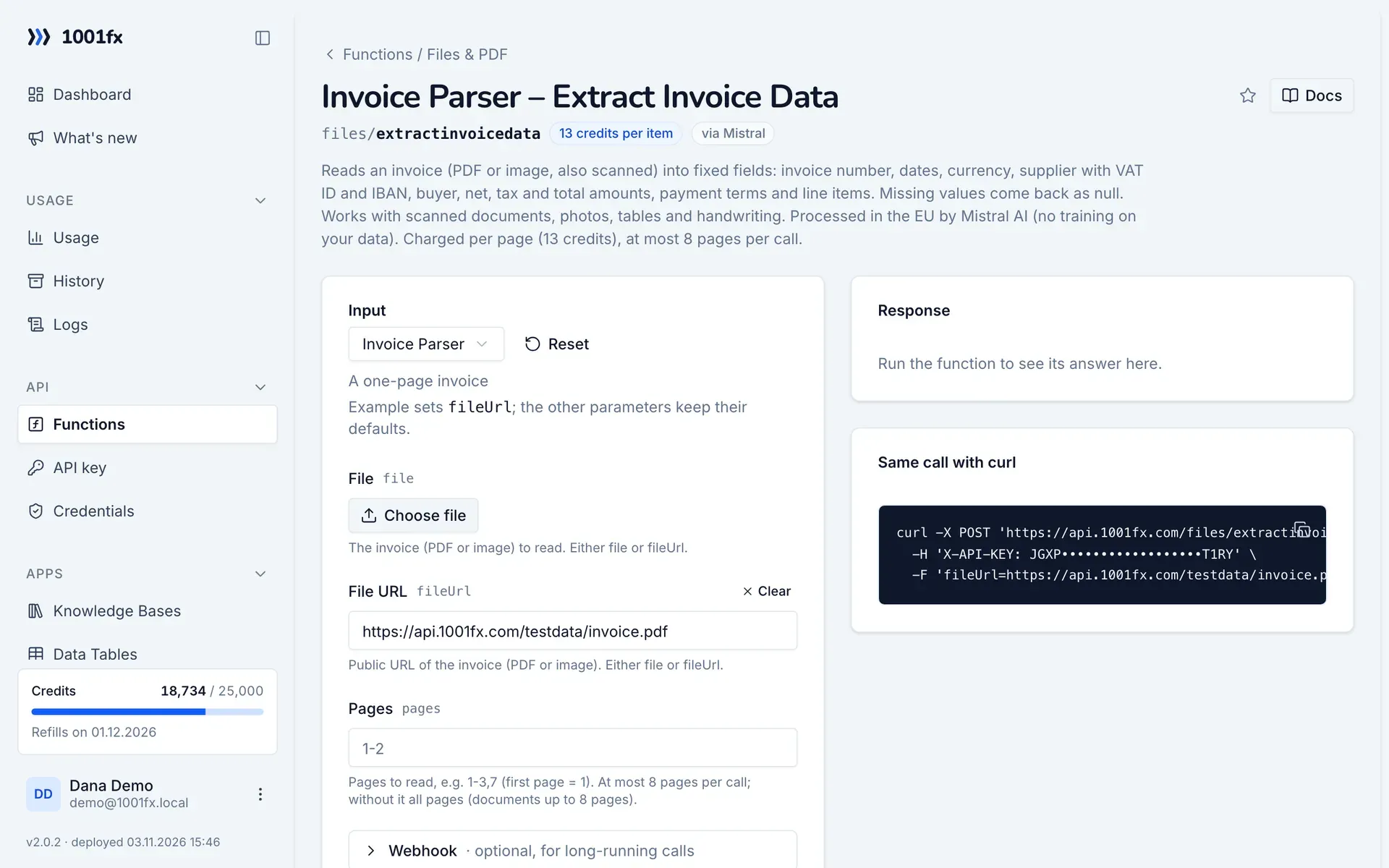
Without a scenario or workflow: run the function in your browser for a one-off task, or to try the fields before you build the automation.
- 1
Open the function
Log in to the 1001fx app and open Functions → Invoice Parser – Extract Invoice Data.
- 2
Fill the fields
Fill the fields as described above. Files can be uploaded from your computer.
- 3
Run it
Click Run. The answer appears next to the form; files come as a download. Each run is charged like an API call.
- 4
Reuse the call
The same page shows the call as cURL command, ready for scripts and other tools.
In Make
- 1
Start the scenario
Start with Gmail "Watch emails" for emails with invoice attachments, or with Google Drive "Watch files in a folder" for scanned invoices, followed by "Download a file".
- 2
Add the 1001fx module
Add a module, search for 1001fx and pick “Invoice Parser – Extract Invoice Data”. Select your 1001fx connection or create one with your API key.
- 3
Fill the fields
Fill the fields as described above, mapped from the previous steps.
- 4
Use the result
The answer is JSON with invoiceNumber, invoiceDate, dueDate, currency, supplier, buyer, netAmount, taxAmount, totalAmount, paymentTerms and lineItems. Add them as a row with Google Sheets "Add a row" or pass them to your accounting system.
Connecting 1001fx: 1001fx for Make.
In n8n
- 1
Start the workflow
Start with a Gmail Trigger node that picks up emails with invoice attachments, or a Google Drive Trigger node that watches a folder of scanned invoices.
- 2
Add the HTTP Request node
Add the HTTP Request node and send a POST request to https://api.1001fx.com/files/extractinvoicedata with the header X-API-KEY and your API key.
- 3
Fill the fields
Fill the fields as described above, mapped from the previous steps.
- 4
Use the result
The answer is JSON with invoiceNumber, invoiceDate, dueDate, currency, supplier, buyer, netAmount, taxAmount, totalAmount, paymentTerms and lineItems. Append them to a Google Sheets table or pass them to your accounting system.
How to set up the HTTP Request node: 1001fx for n8n.
Tips
- Dates come as YYYY-MM-DD and currencies as ISO codes such as EUR, so they need no further formatting.
- Check important fields for null with a filter (Make) or an IF node (n8n) before you book the invoice.
- For till receipts use extractreceiptdata, for your own fields extractpdfdata.
Frequently asked questions
- Does it work with scanned invoices and photos?
- Yes. PDFs and images are accepted, also scans, photos, tables and handwriting.
- Which fields are returned?
- Invoice number, invoice and due date, currency, supplier and buyer with name, address and VAT ID, the IBAN of the supplier, net, tax and total amount, payment terms and line items.
- What happens if a value is not on the invoice?
- The field is returned as null.