- App
- Make
- n8n
- MCP
How to convert a file to Base64
To convert a file to Base64, send it – or its URL – to the 1001fx function asset2base64, from Make, n8n or the 1001fx app. It returns the Base64 string, by default with the prefix data:MimeType;base64, so you can put it straight into HTML or a JSON request.
The fields
The same in the 1001fx app, Make, n8n and AI assistants. asset2base64 costs 3 credits per call.
- file
- – The file from the previous step: image, PDF, ZIP, audio, video or any other file.
- url
- – Alternatively the URL of the file. Fill either file or url.
- addPrefix
- – true (default) adds data:MimeType;base64, in front, false returns the plain Base64 string.
All parameters and examples: asset2base64 reference.
Example
What you send to asset2base64 and what comes back – the same in every tool.
Convert Asset into Base64 String
Uploads an asset
Input
{
  "files": [
    {
      "name": "1600x900.png",
      "type": "image/png",
      "path": "testdata/images/1600x900.png"
    }
  ]
}Output · HTTP 200
{
  "statusCode": 200
}Show curl command
curl -X POST 'https://api.1001fx.com/files/asset2base64' \
  -H 'X-API-KEY: YOURSECRETAPIKEY' \
-F 'file=@1600x900.png'In the 1001fx app
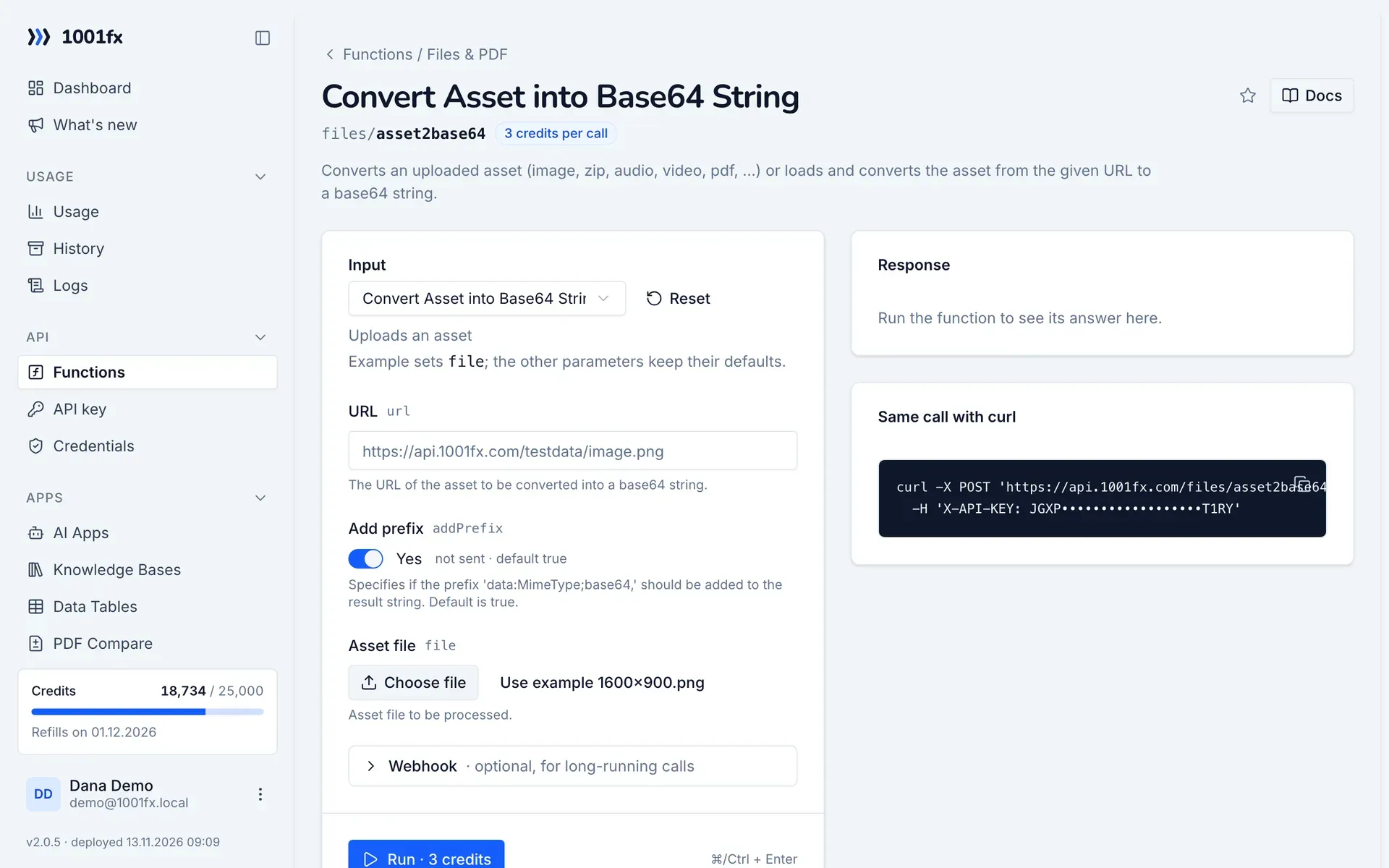
Without a scenario or workflow: run the function in your browser for a one-off task, or to try the fields before you build the automation.
- 1
Open the function
Log in to the 1001fx app and open Functions → Convert Asset into Base64 String.
- 2
Fill the fields
Fill the fields as described above. Files can be uploaded from your computer.
- 3
Run it
Click Run. The answer appears next to the form; files come as a download. Each run is charged like an API call.
- 4
Reuse the call
The same page shows the call as cURL command, ready for scripts and other tools.
In Make
- 1
Start the scenario
Start with the module that delivers the file, for example Google Drive "Download a file" or the attachment of Gmail "Watch emails".
- 2
Add the 1001fx module
Add a module, search for 1001fx and pick “Convert Asset into Base64 String”. Select your 1001fx connection or create one with your API key.
- 3
Fill the fields
Fill the fields as described above, mapped from the previous steps.
- 4
Use the result
The module returns result with the Base64 string. Map it into an HTTP request body or into the src of an img tag in an HTML email.
Connecting 1001fx: 1001fx for Make.
In n8n
- 1
Start the workflow
Start with the node that delivers the file, for example a Google Drive node that downloads it or a Gmail Trigger with the attachment.
- 2
Add the 1001fx node
Add a node, search for 1001fx and pick “Convert Asset into Base64 String”. Select your 1001fx credential or create one with your API key.
- 3
Fill the fields
Fill the fields as described above, mapped from the previous steps.
- 4
Use the result
The node returns result with the Base64 string. Use it in an HTTP Request body or in the src of an img tag in an HTML email.
Connecting 1001fx: 1001fx for n8n.
With an AI assistant (MCP)
Without building anything: connect your assistant to 1001fx once and ask for the result in your own words.
- 1
Connect your assistant
Add the 1001fx MCP server to Claude, Cursor or another MCP client and log in to 1001fx.
- 2
Ask for the result
Describe what you need and mention 1001fx, for example: "Use 1001fx to convert a file to Base64". The assistant finds files/asset2base64 and fills its fields.
- 3
Get the answer
Pass files as links. File results come back as a temporary download link. Each run is charged like an API call.
Tips
- Use addPrefix true for img tags and data URLs, false for APIs that expect plain Base64.
- If you need a link instead of Base64, upload the file with uploadasset.
Frequently asked questions
- What does a call cost?
- 3 credits per call.
- Can I convert a file from a link?
- Yes. Fill url with the address of the file and leave file empty.