- App
- Make
- n8n
How to convert Word or PowerPoint files to PDF
To convert Word, Excel or PowerPoint files to PDF, send the file to the 1001fx function convertofficedocument – from Make, n8n or the 1001fx app. It accepts DOCX, XLSX and PPTX as well as the OpenDocument formats and returns a PDF.
The fields
The same in the 1001fx app, Make and n8n. convertofficedocument costs 3 credits per call.
- file
- – The office file from the previous step, for example a DOCX or PPTX file.
All parameters and examples: convertofficedocument reference.
In the 1001fx app
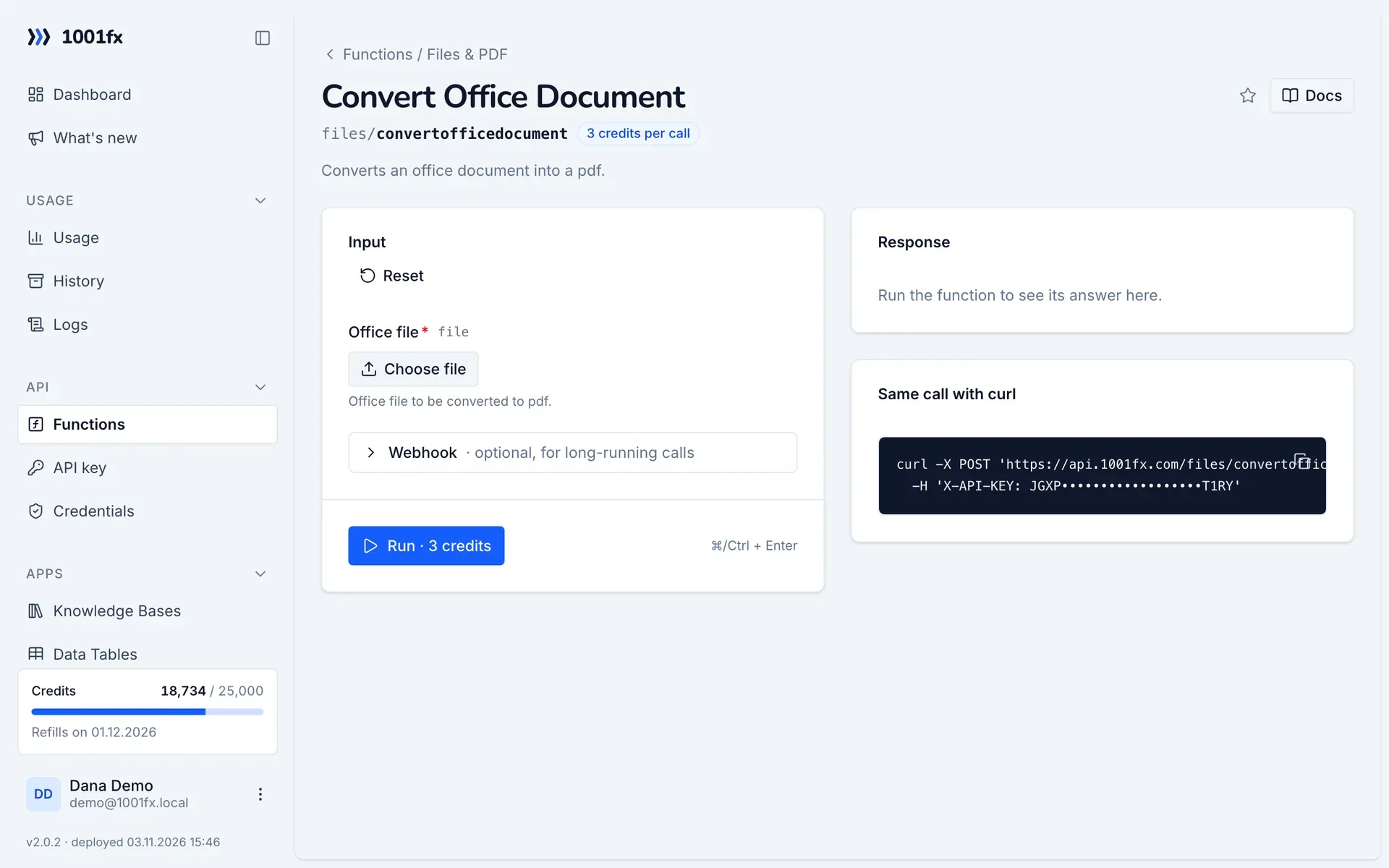
Without a scenario or workflow: run the function in your browser for a one-off task, or to try the fields before you build the automation.
- 1
Open the function
Log in to the 1001fx app and open Functions → Convert Office Document.
- 2
Fill the fields
Fill the fields as described above. Files can be uploaded from your computer.
- 3
Run it
Click Run. The answer appears next to the form; files come as a download. Each run is charged like an API call.
- 4
Reuse the call
The same page shows the call as cURL command, ready for scripts and other tools.
In Make
- 1
Start the scenario
Start with Google Drive "Watch files in a folder", followed by "Download a file" for the new document.
- 2
Add the HTTP – Make a request module
Add the HTTP – Make a request module and send a POST request to https://api.1001fx.com/files/convertofficedocument with the header X-API-KEY and your API key.
- 3
Fill the fields
Fill the fields as described above, mapped from the previous steps.
- 4
Use the result
The module returns the PDF as a file. Upload it with Google Drive "Upload a file" or attach it to an email.
How to set up the HTTP – Make a request module: 1001fx for Make.
In n8n
- 1
Start the workflow
Start with a Google Drive Trigger node that watches a folder, followed by a Google Drive node that downloads the new file.
- 2
Add the 1001fx node
Add a node, search for 1001fx and pick “Convert Office Document”. Select your 1001fx credential or create one with your API key.
- 3
Fill the fields
Fill the fields as described above, mapped from the previous steps.
- 4
Use the result
The node returns the PDF as a file. Upload it with a Google Drive node or send it with a Send Email node.
Connecting 1001fx: 1001fx for n8n.
Tips
- Documents with uncommon fonts can look slightly different in the PDF. Test with one of your own files first.
- Use mergepdfs to combine the converted PDF with other PDFs.
Frequently asked questions
- Which file types can I convert?
- Word (DOCX), Excel (XLSX) and PowerPoint (PPTX) files and the OpenDocument formats ODT, ODS and ODP. The old binary formats DOC, XLS and PPT are not accepted.
- Can I convert a PDF back to Word?
- No. To get the text of a document, use ocrpdf for PDFs or ocrdocx for Word files.