- App
- Make
- n8n
How to answer questions from your documents
To answer questions from your own documents, add the documents to a 1001fx knowledge base with rag/adddocument and ask it with rag/ask – in Make, in n8n or in the 1001fx app. 1001fx stores the text, finds the passages that fit a question and lets AI answer from them, with the sources – no vector database and no AI account needed.
The fields
The same in the 1001fx app, Make and n8n. adddocument costs 1 credit per 1,000 tokens (minimum 1).
- knowledgeBase
- – The name of your knowledge base, for example Support FAQ – it is created on first use. In Make you can also pick it from a drop-down.
- file
- – The file from the previous step (PDF, Word, PowerPoint, Excel, HTML, text, Markdown or CSV).
- documentId
- – The Google Drive file ID. The same ID replaces the document when the file changes, so you never create duplicates.
- title
- – The file name, shown in the sources of an answer.
- sourceUrl
- – The web view link of the file, so the sources link back to Google Drive.
- useOcr
- – Yes for scanned PDFs and images without a text layer (6 credits per page extra).
All parameters and examples: adddocument reference.
Example
What you send to adddocument and what comes back – the same in every tool.
RAG – Add Document to Knowledge Base
Needs an API key of an account (not a test key).
Input
{
  "knowledgeBase": "Support FAQ",
  "documentId": "faq-billing",
  "title": "FAQ Billing",
  "text": "How do I cancel my subscription? Go to Settings → Subscription and click Cancel.",
  "metadata": {
    "department": "billing"
  }
}Output · HTTP 200
{
  "statusCode": 200
}Show curl command
curl -X POST 'https://api.1001fx.com/rag/adddocument' \
-H 'X-API-KEY: YOURSECRETAPIKEY'In the 1001fx app
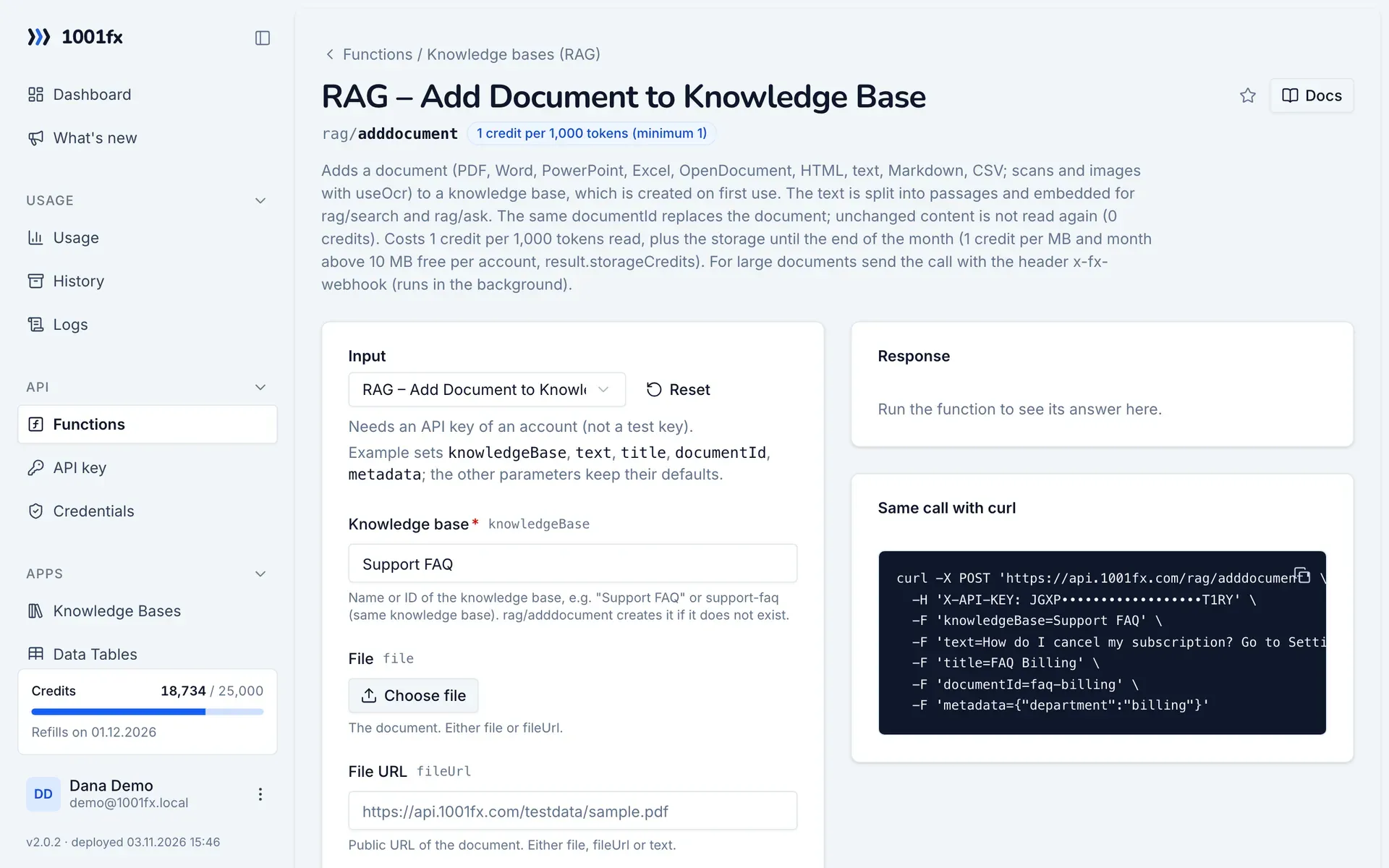
Without a scenario or workflow: run the function in your browser for a one-off task, or to try the fields before you build the automation.
- 1
Open the function
Log in to the 1001fx app and open Functions → RAG – Add Document to Knowledge Base.
- 2
Fill the fields
Fill the fields as described above. Files can be uploaded from your computer.
- 3
Run it
Click Run. The answer appears next to the form; files come as a download. Each run is charged like an API call.
- 4
Reuse the call
The same page shows the call as cURL command, ready for scripts and other tools.
In Make
- 1
Start the scenario
Start with the module that delivers new or changed files, for example Google Drive "Watch files in a folder" followed by "Download a file". A second scenario answers the questions, for example Slack "Watch public channel messages" → 1001fx "RAG – Ask Knowledge Base" → Slack "Create a message".
- 2
Add the 1001fx module
Add a module, search for 1001fx and pick “RAG – Add Document to Knowledge Base”. Select your 1001fx connection or create one with your API key.
- 3
Fill the fields
Fill the fields as described above, mapped from the previous steps.
- 4
Use the result
The answer contains the stored document with its passage count and the tokens read. In the question scenario, map the answer field of RAG – Ask Knowledge Base into your reply and list the titles and source URLs of the sources below it.
Connecting 1001fx: 1001fx for Make.
In n8n
- 1
Start the workflow
Start with a Google Drive Trigger node that watches a folder for new or changed files, followed by a Google Drive node that downloads the file. A second workflow answers the questions, for example Slack Trigger → HTTP Request to rag/ask → Slack node that posts the answer.
- 2
Add the HTTP Request node
Add the HTTP Request node and send a POST request to https://api.1001fx.com/rag/adddocument with the header X-API-KEY and your API key.
- 3
Fill the fields
Fill the fields as described above, mapped from the previous steps.
- 4
Use the result
The answer contains the stored document with its passage count and the tokens read. In the question workflow, use the answer field of the rag/ask response in the Slack node and list the titles and source URLs of the sources below it.
How to set up the HTTP Request node: 1001fx for n8n.
Tips
- Unchanged files are not read again and cost 0 credits, so the scenario or workflow can safely run on every change.
- Add metadata such as department or product and filter on it in rag/ask, so one knowledge base serves several teams.
- Remove documents with rag/deletedocument when the file is deleted in Drive, so answers never quote old content.
- For large files, send the call with the header x-fx-webhook so it runs in the background.
Frequently asked questions
- Do I need a vector database or an OpenAI account for RAG in Make or n8n?
- No. 1001fx stores the documents, creates the embeddings, searches and writes the answer. Make and n8n only need your 1001fx API key.
- What does it cost?
- Adding costs 1 credit per 1,000 tokens read, a question 4 credits per started 1,000 tokens, storage 1 credit per MB and month with 10 MB free.
- What happens when the answer is not in the documents?
- The AI says that the answer is not in the documents instead of guessing.