App
PDF Compare: what changed between two versions
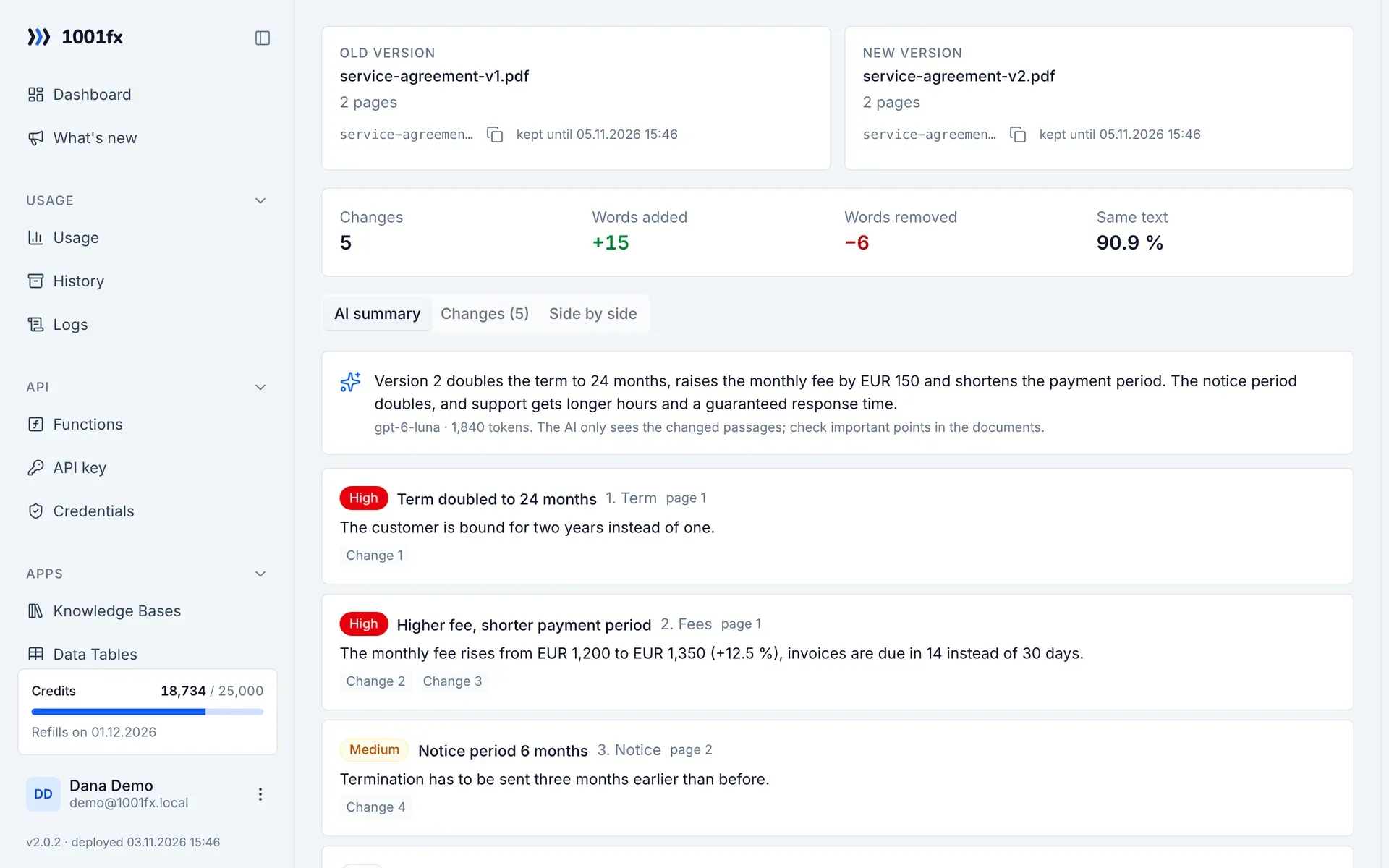
PDF Compare finds every change between two versions of a PDF, word by word with page and context, and lets AI explain what changed and how important each change is. Line breaks, spacing and hyphenation are ignored, so only real changes show up. Use it in the app with side-by-side view, or call files/comparepdfs from your workflow.
Key facts
- Input
- Two PDFs as upload, URL or hash of an earlier upload; up to 300 pages per PDF
- Result
- AI summary, list of changes rated high, medium or low, and the full word diff with page and context
- Scans
- Pages without text layer are read with OCR automatically
- Costs
- 1 credit per started 5 pages of both PDFs, plus 6 per OCR page and 4 per started 1,000 AI tokens; without AI only the page price
- Repeat
- Each PDF is kept encrypted for 2 days under its SHA-256 hash: compare it again without upload and without new OCR
- In the app
- Upload two PDFs, read the summary and the changes, view both versions side by side
- Available via
- REST API (https://api.1001fx.com) with your API key – from Make, n8n, scripts and AI agents
What you can do with it
- Check what the other side changed in a contract before you sign
- Compare offers, terms and conditions or price lists with the previous version
- Review new versions of policies, manuals and specifications
- Document changes between two releases of a document automatically
How it works
- 1
Open PDF Compare in the app, or call files/comparepdfs with file1 (old) and file2 (new).
- 2
Optionally tell the AI what matters, for example deadlines, prices and liability.
- 3
Read the summary and the rated changes, or use the JSON in your workflow.
Functions
Each function has its own page with all parameters, examples and a ready-to-copy curl command.
| Function | Endpoint | Credits |
|---|---|---|
| Compare PDFs (AI + Text Diff) | POST /files/comparepdfs | 1 credit per item |
Example
A call of https://api.1001fx.com/files/comparepdfs. Replace YOURSECRETAPIKEY with your API key.
curl -X POST 'https://api.1001fx.com/files/comparepdfs' \
-H 'X-API-KEY: YOURSECRETAPIKEY'Frequently asked questions
- Does PDF Compare show changes of layout or images?
- No. It compares the text of both versions over the whole document, not page by page. Line breaks, spacing and hyphenation are ignored, images and layout are not compared.
- Can the AI invent changes?
- The AI only gets the changes of the word diff with their context, not the unchanged text, and explains them. The diff itself is exact.
- Can I compare without AI?
- Yes. Set ai to false and you get only the word diff for the page price.
About 1001fx
1001fx is a function API for no-code automation and AI agents, operated by efec AG in Germany. One API key gives access to more than 154 functions for files, PDFs, images, data, dates and AI. Learn how 1001fx works.