App
AI Apps: your own AI tools without code
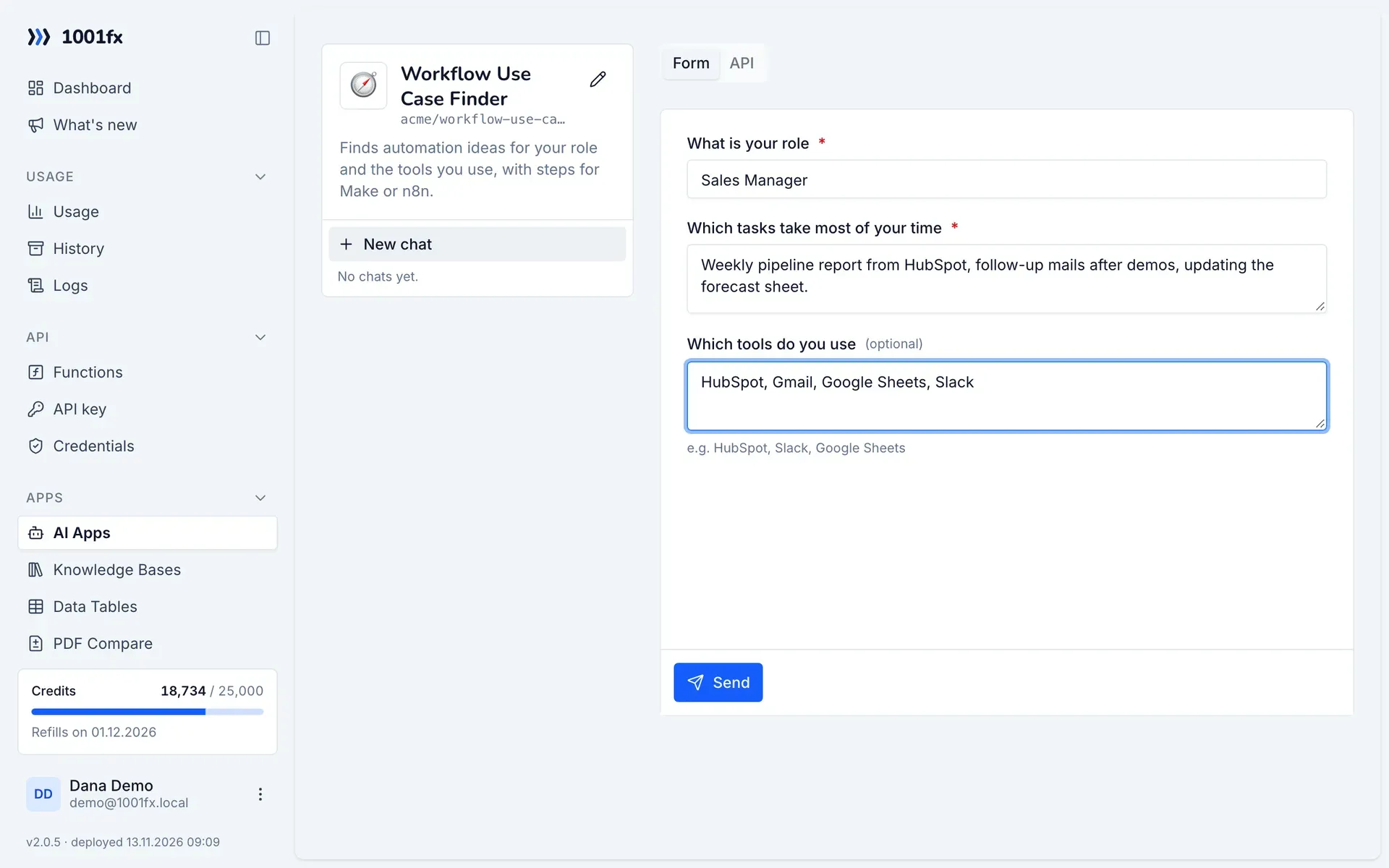
An AI app is your own small AI tool: instructions, a free prompt or a form as input, and optionally your knowledge bases and files. Run it in the 1001fx app, where every app keeps its chats, or call apps/runapp from Make, n8n, MCP or your code. The app can answer with a PDF, Word, Excel, CSV or Markdown file.
Key facts
- Input
- Free prompt, or a form with up to 20 fields (text, long text, number, select, checkbox, date, file)
- Knowledge
- Up to 5 own knowledge bases searched together, and up to 5 files with together 100,000 characters
- Output
- Answer as Markdown with sources; the AI can create a PDF, Word, Excel, CSV or Markdown file
- Chats
- Several chats per app with history, kept until you delete them; runs through the API are listed too
- Costs
- 4 credits per started 1,000 tokens like rag/ask (gpt-6.1-terra twice), 2 per created file, storage like knowledge bases
- Privacy
- Apps are private: only your account and your API keys can run them; AI runs on Azure OpenAI in the EU
- Available via
- REST API (https://api.1001fx.com) with your API key – from Make, n8n, scripts and AI agents
What you can do with it
- A use-case finder that asks for role and tasks in a form and suggests automations
- A writing assistant that follows your style guide from a file
- A support assistant that answers from several knowledge bases at once
- A report generator that turns form input into a PDF or Excel file
How it works
- 1
Open Apps → AI Apps in the 1001fx app and create an app with instructions and a prompt or form.
- 2
Connect knowledge bases or add files, and choose the file formats the app may create.
- 3
Run it in the app, or call apps/runapp with the app address from Make, n8n, MCP or your code.
Functions
Each function has its own page with all parameters, examples and a ready-to-copy curl command.
| Function | Endpoint | Credits |
|---|---|---|
| AI Apps – Run App | POST /apps/runapp | 4 credits per 1,000 tokens (minimum 4) |
| AI Apps – List Apps | POST /apps/listapps | 0 credits per call |
| AI Apps – Get App | POST /apps/getapp | 0 credits per call |
Example
curl -X POST 'https://api.1001fx.com/apps/runapp' \
  -H 'X-API-KEY: YOURSECRETAPIKEY' \
  -H 'Content-Type: application/json' \
-d '{"app":"acme/use-case-finder","input":{"role":"Sales Manager","tasks":"Weekly pipeline report"}}'Frequently asked questions
- Can other people use my AI app?
- No. AI apps are private: only you see them in the app, and only API keys of your account can run them. To offer an app to others, call it from your own Make or n8n scenario.
- How is an AI app protected against prompt injection?
- 1001fxGUARD wraps every app: your files, knowledge base passages and form values are data, never instructions, and a message that tries to read the instructions or change the role ends the chat.
- How many AI apps can I create?
- As many as you like on every plan. Runs cost credits per token, and stored files and chats count as storage like knowledge bases.
About 1001fx
1001fx offers functions, agents and apps for automation and AI, operated by efec AG in Germany. One API key gives access to more than 161 functions for files, PDFs, images, data, dates and AI. Learn how 1001fx works.