Skip to content
Browse all functions

AI Apps – Run App

apps/runapp

runapp (AI Apps – Run App) is a 1001fx API function in the group AI apps: POST https://api.1001fx.com/apps/runapp, 4 credits per 1,000 tokens (minimum 4). It works in Make, n8n, scripts and AI agents as a plain HTTP call.

Part of the app AI Apps – Your own AI tools from a prompt or form, with your documents and files.

Runs one of your AI apps (system prompt, knowledge bases and files, set up in the 1001fx app under AI Apps) and returns the answer, the sources and the files the app created. Prompt apps take prompt, form apps take input with the field keys of apps/getapp on the first run of a chat. Send chatId of the previous answer to continue the chat: the app sees the earlier messages. Files: file, file2, file3 (or fileUrl, fileUrl2, fileUrl3) for apps that accept files and for file fields of a form, in field order. Files the app creates are returned as links valid for 2 days. 1001fxGUARD protects every app: a request that tries to read the instructions or to change the role ends the chat (ended = true, start a new one). Apps are private: only API keys of the owner can run them. 4 credits per started 1,000 tokens (gpt-6.1-terra twice), plus 2 credits per created file and 6 per OCR page; chats are kept until deleted and count as storage like knowledge bases. Long runs: send x-fx-webhook.

  • This service is provided by an external service provider: Microsoft Azure OpenAI. The data of the call is sent to the provider. More about service providers

Try it in the 1001fx app

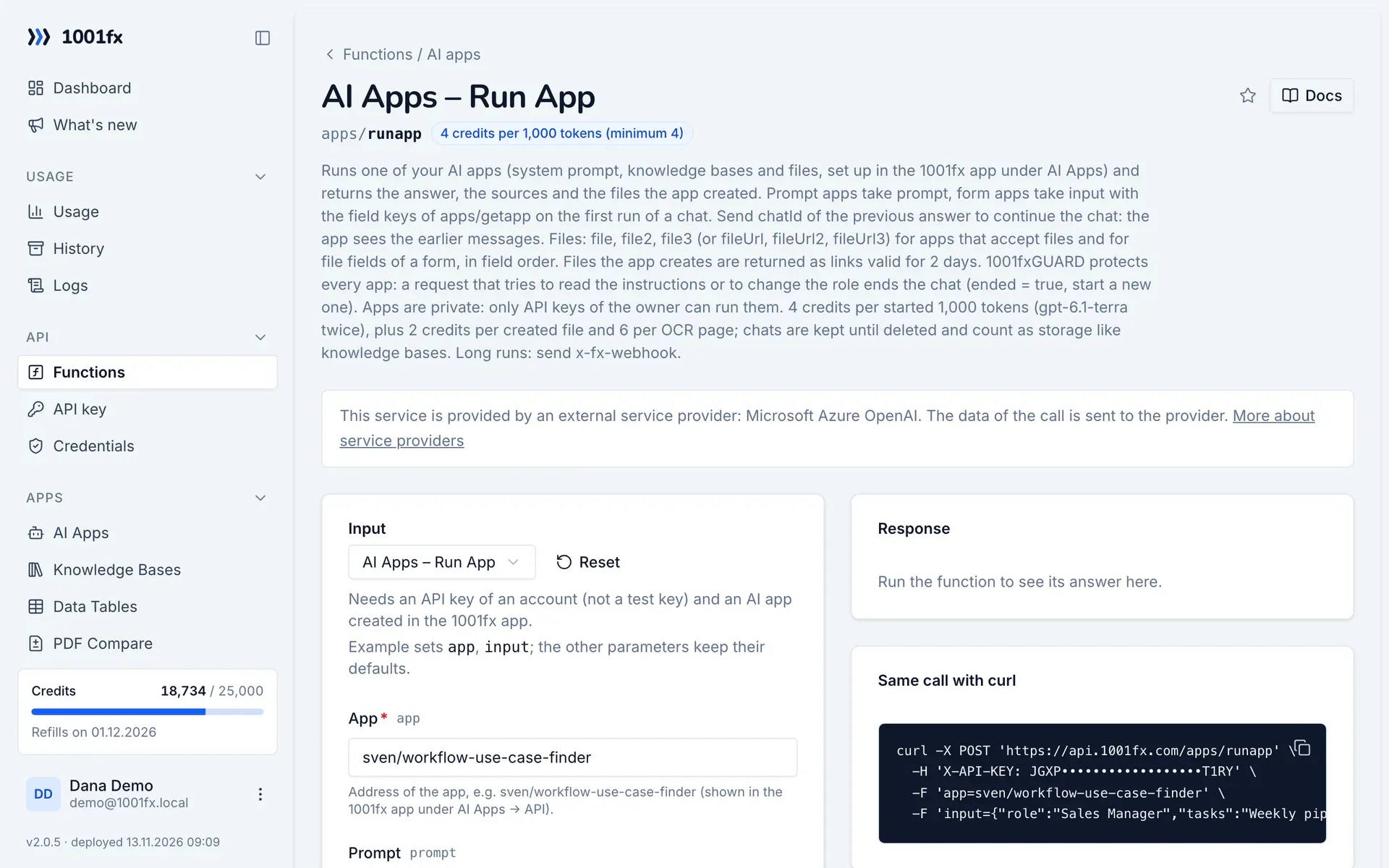
Run runapp in your browser with your API key – fill the form, click Run and get the answer or the file.

runapp in the 1001fx app: the form with example values
AI Apps – Run App in the 1001fx app

Endpoint

POSThttps://api.1001fx.com/apps/runapp
Header
X-API-KEY: YOURSECRETAPIKEY How to
Content type
multipart/form-data

Parameters

  • appstringrequired

    Address of the app, e.g. sven/workflow-use-case-finder (shown in the 1001fx app under AI Apps → API).

    Example:
    sven/workflow-use-case-finder
  • promptstringoptional

    The message (prompt apps, and follow-ups of form apps).

  • inputanyoptional

    Form apps, first run of a chat: the values by field key, e.g. {"role": "Sales Manager"} (keys from apps/getapp). A file field takes a public URL here, or the name of the upload ("file", "file2", "file3"); without a value the uploads fill the file fields in order.

  • chatIdstringoptional

    chatId of the previous answer to continue the chat. Empty starts a new chat.

  • filefileoptional

    The first file. Either file or fileUrl.

  • fileUrlstringoptional

    Public URL of the first file. Either file or fileUrl.

  • file2fileoptional

    The second file. Either file2 or file2Url.

  • fileUrl2stringoptional

    Public URL of the second file. Either file2 or file2Url.

  • file3fileoptional

    The third file. Either file3 or file3Url.

  • fileUrl3stringoptional

    Public URL of the third file. Either file3 or file3Url.

Examples

AI Apps – Run App

Needs an API key of an account (not a test key) and an AI app created in the 1001fx app.

Input

Expects a json body
{
  "app": "sven/workflow-use-case-finder",
  "input": {
    "role": "Sales Manager",
    "tasks": "Weekly pipeline report, follow-up e-mails"
  }
}

Output · HTTP 200

Response
{
  "statusCode": 200
}
Show curl command
curl -X POST 'https://api.1001fx.com/apps/runapp' \
  -H 'X-API-KEY: YOURSECRETAPIKEY'

Try runapp now

Run it in your browser or create a free account and get 100 credits every month.

Changelog

  • 1.0.013.11.2026created
Ask 1001fx