Skip to content
Browse all functions

RAG – Add Meeting to Knowledge Base

rag/addmeeting

addmeeting (RAG – Add Meeting to Knowledge Base) is a 1001fx API function in the group Knowledge bases (RAG): POST https://api.1001fx.com/rag/addmeeting, 1 credit per 1,000 tokens (minimum 1). It works as a ready-made module in Make or as a plain HTTP call.

Adds a meeting to a knowledge base, which is created on first use. A recording (mp3, m4a, wav, mp4, webm) is transcribed, a transcript from Microsoft Teams (Word or .vtt) is read with its speakers and times. Afterwards rag/ask and rag/search find it like any document, with the metadata type, source, meetingDate, durationMinutes and speakers. The recording itself is not stored, only the transcript. Recordings cost 10 credits per started minute; on top, like rag/adddocument, 1 credit per 1,000 tokens read and the storage until the end of the month. For long recordings send the call with the header x-fx-webhook (runs in the background).

  • This service is provided by an external service provider: Microsoft Azure OpenAI. The data of the call is sent to the provider. More about service providers

Try it in the 1001fx app

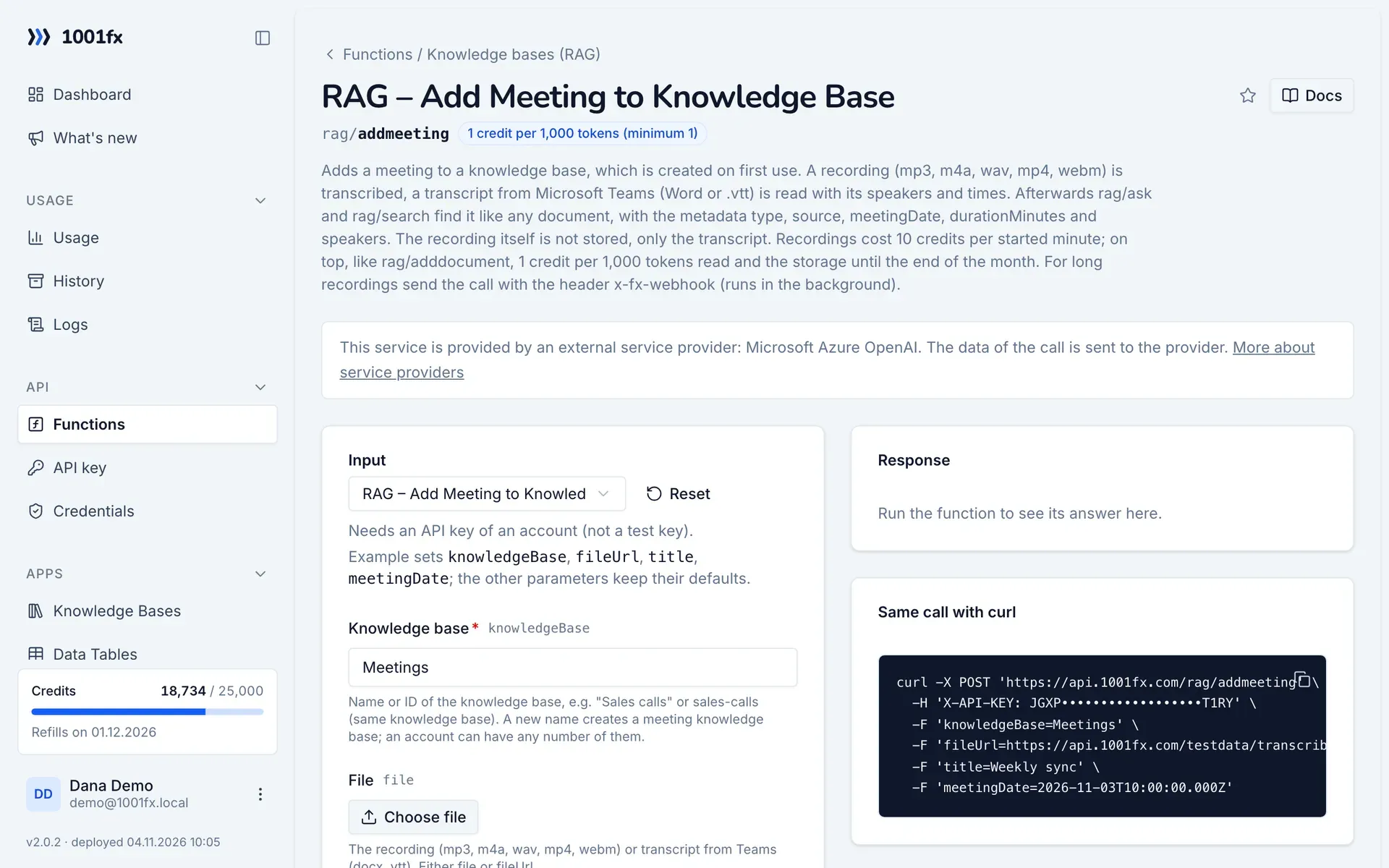
Run addmeeting in your browser with your API key – fill the form, click Run and get the answer or the file.

addmeeting in the 1001fx app: the form with example values
RAG – Add Meeting to Knowledge Base in the 1001fx app

Endpoint

POSThttps://api.1001fx.com/rag/addmeeting
Header
X-API-KEY: YOURSECRETAPIKEY How to
Content type
multipart/form-data

Parameters

  • knowledgeBasestringrequired

    Name or ID of the knowledge base, e.g. "Sales calls" or sales-calls (same knowledge base). A new name creates a meeting knowledge base; an account can have any number of them.

    Example:
    Meetings
  • filefileoptional

    The recording (mp3, m4a, wav, mp4, webm) or transcript from Teams (docx, vtt). Either file or fileUrl.

  • fileUrlstringoptional

    Public URL of the recording or transcript. Either file or fileUrl.

    Example:
    https://api.1001fx.com/testdata/transcribe.mp3
  • documentIdstringoptional

    Optional, e.g. the Google Drive file ID. The same ID replaces the document; without it an ID is generated.

    Example:
    1AbCdriveFileId
  • titlestringoptional

    Name of the meeting. Default: the name in the transcript, or the file name.

  • meetingDatestringoptional

    ISO 8601, e.g. 2026-11-03T10:00:00Z. Default: the date of the file, or now.

  • languagestringoptional

    Language of a recording as ISO-639-1 code, e.g. de. Default: detected.

Examples

RAG – Add Meeting to Knowledge Base

Needs an API key of an account (not a test key).

Input

Expects a json body
{
  "knowledgeBase": "Meetings",
  "title": "Weekly sync",
  "meetingDate": "2026-11-03T10:00:00.000Z",
  "fileUrl": "https://api.1001fx.com/testdata/transcribe.mp3"
}

Output · HTTP 200

Response
{
  "statusCode": 200
}
Show curl command
curl -X POST 'https://api.1001fx.com/rag/addmeeting' \
  -H 'X-API-KEY: YOURSECRETAPIKEY'

Try addmeeting now

Run it in your browser or create a free account and get 100 credits every month.

Changelog

  • 1.0.002.11.2026created
Ask 1001fx