Skip to content
Browse all functions

Update rows of a data table

datatables/updaterows

updaterows (Update rows of a data table) is a 1001fx API function in the group Data tables: POST https://api.1001fx.com/datatables/updaterows, 1 credit per call. It works as a ready-made module in Make or as a plain HTTP call.

Part of the app Data Tables – Small tables for lookups, deduplication and state between Make and n8n runs.

1 credit per callHTTP APIMake

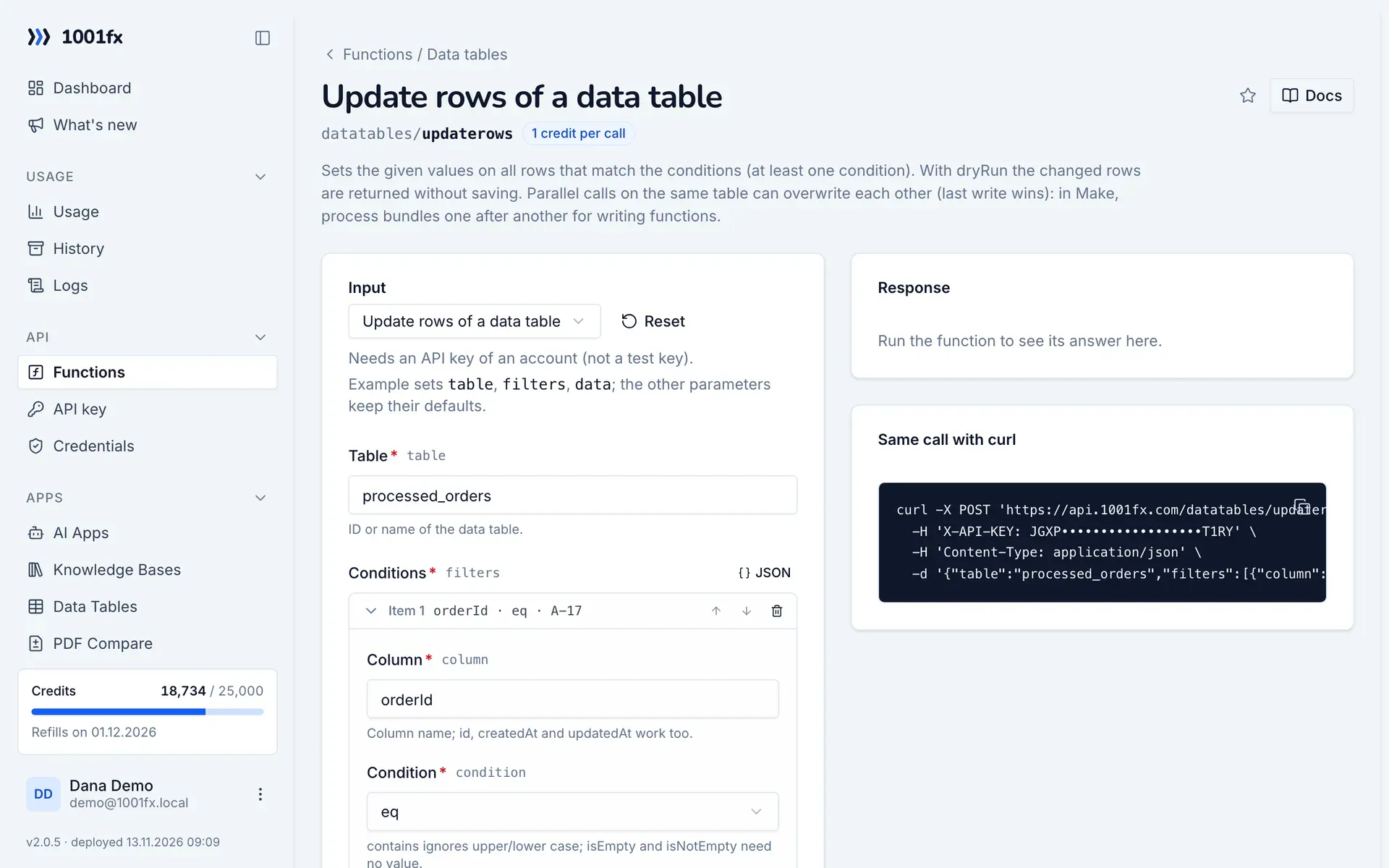
Sets the given values on all rows that match the conditions (at least one condition). With dryRun the changed rows are returned without saving. Parallel calls on the same table can overwrite each other (last write wins): in Make, process bundles one after another for writing functions.

Try it in the 1001fx app

Run updaterows in your browser with your API key – fill the form, click Run and get the answer or the file.

updaterows in the 1001fx app: the form with example values
Update rows of a data table in the 1001fx app

Endpoint

POSThttps://api.1001fx.com/datatables/updaterows
Header
X-API-KEY: YOURSECRETAPIKEY How to
Content type
application/json

Parameters

  • tablestringrequired

    ID or name of the data table.

    Example:
    processed_orders
  • filtersarray<object>required

    At least one condition.

    • columnstringrequired

      Column name; id, createdAt and updatedAt work too.

      Example:
      orderId
    • conditionenumrequired

      contains ignores upper/lower case; isEmpty and isNotEmpty need no value.

      Values:
      eq
      neq
      gt
      gte
      lt
      lte
      contains
      isEmpty
      isNotEmpty
      Example:
      eq
    • valueanyoptional

      Compared by the type of the column.

      Example:
      A-17
  • matchenumoptional

    all (default): every condition must match; any: one is enough.

    Values:
    all
    any
    Default:
    all
  • dataobjectrequired

    Columns to change, e.g. {"paid": true}.

  • dryRunbooleanoptional

    Return the rows as they would be, without saving.

    Default:
    false
  • ignoreUnknownColumnsbooleanoptional

    Skip keys that are not columns of the table instead of an error.

    Default:
    false

Examples

Update rows of a data table

Needs an API key of an account (not a test key).

Input

Expects a json body
{
  "table": "processed_orders",
  "filters": [
    {
      "column": "orderId",
      "condition": "eq",
      "value": "A-17"
    }
  ],
  "data": {
    "total": 59.9
  }
}

Output · HTTP 200

Response
{
  "statusCode": 200
}
Show curl command
curl -X POST 'https://api.1001fx.com/datatables/updaterows' \
  -H 'X-API-KEY: YOURSECRETAPIKEY' \
  -H 'Content-Type: application/json' \
  -d '{"table":"processed_orders","filters":[{"column":"orderId","condition":"eq","value":"A-17"}],"data":{"total":59.9}}'

Try updaterows now

Run it in your browser or create a free account and get 100 credits every month.

Changelog

  • 1.0.001.11.2026created
Ask 1001fx