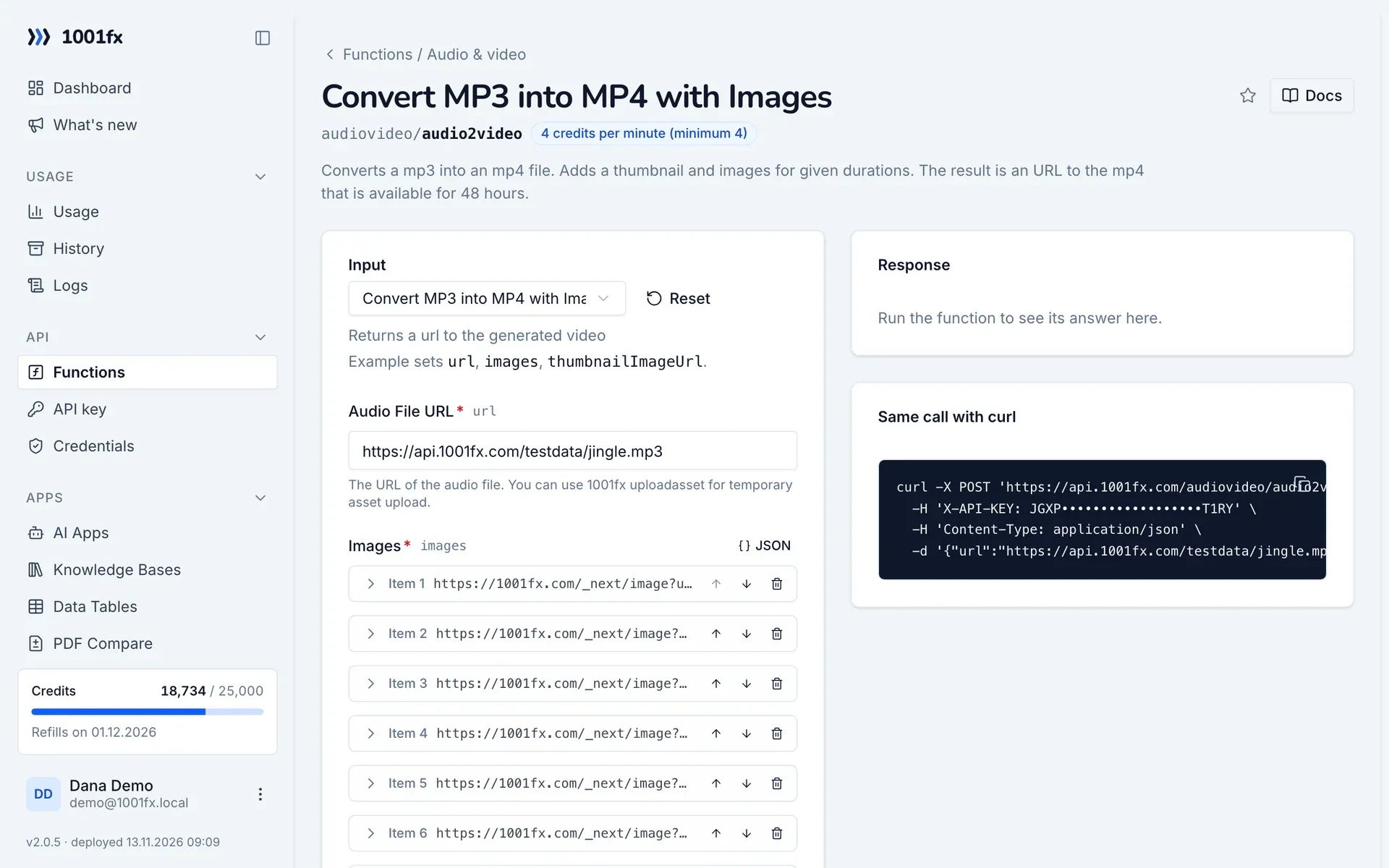
Convert MP3 into MP4 with Images
Returns a url to the generated video
Input
Expects a json body
{
  "url": "https://api.1001fx.com/testdata/jingle.mp3",
  "images": [
    {
      "imageUrl": "https://1001fx.com/_next/image?url=https%3A%2F%2Fprod-1001fx-public.b-cdn.net%2Fmisc%2F1678977739_Changelog3.png&w=828&q=75",
      "duration": 2
    },
    {
      "imageUrl": "https://1001fx.com/_next/image?url=https%3A%2F%2Fprod-1001fx-public.b-cdn.net%2Fmisc%2F1680622414_1001fxMakeJS.png&w=828&q=75",
      "duration": 2
    },
    {
      "imageUrl": "https://1001fx.com/_next/image?url=https%3A%2F%2Fprod-1001fx-public.b-cdn.net%2Fmisc%2F1680511208_Charts-Blogpost.png&w=828&q=75",
      "duration": 2
    },
    {
      "imageUrl": "https://1001fx.com/_next/image?url=https%3A%2F%2Fprod-1001fx-public.b-cdn.net%2Fmisc%2F1679924358_AirtableImages.png&w=828&q=75",
      "duration": 2
    },
    {
      "imageUrl": "https://1001fx.com/_next/image?url=https%3A%2F%2Fprod-1001fx-public.b-cdn.net%2Fmisc%2F1679501411_speakerimage17.png&w=828&q=75",
      "duration": 2
    },
    {
      "imageUrl": "https://1001fx.com/_next/image?url=https%3A%2F%2Fprod-1001fx-public.b-cdn.net%2Fmisc%2F1679475802_1001fxMake_Live.png&w=828&q=75",
      "duration": 2
    },
    {
      "imageUrl": "https://1001fx.com/_next/image?url=https%3A%2F%2Fprod-1001fx-public.b-cdn.net%2Fmisc%2F1679329895_Podcast_Ad_Checker1.png&w=828&q=75",
      "duration": 2
    }
  ],
  "thumbnailImageUrl": "https://api.1001fx.com/testdata/image.jpg",
  "videoResolution": {
    "width": 1280,
    "height": 720
  }
}Output · HTTP 200
Result is a url to a file containing the audio.
{
  "statusCode": 200
}Show curl command
curl -X POST 'https://api.1001fx.com/audiovideo/audio2video' \
  -H 'X-API-KEY: YOURSECRETAPIKEY' \
  -H 'Content-Type: application/json' \
  -d '{"url":"https://api.1001fx.com/testdata/jingle.mp3","images":[{"imageUrl":"https://1001fx.com/_next/image?url=https%3A%2F%2Fprod-1001fx-public.b-cdn.net%2Fmisc%2F1678977739_Changelog3.png&w=828&q=75","duration":2},{"imageUrl":"https://1001fx.com/_next/image?url=https%3A%2F%2Fprod-1001fx-public.b-cdn.net%2Fmisc%2F1680622414_1001fxMakeJS.png&w=828&q=75","duration":2},{"imageUrl":"https://1001fx.com/_next/image?url=https%3A%2F%2Fprod-1001fx-public.b-cdn.net%2Fmisc%2F1680511208_Charts-Blogpost.png&w=828&q=75","duration":2},{"imageUrl":"https://1001fx.com/_next/image?url=https%3A%2F%2Fprod-1001fx-public.b-cdn.net%2Fmisc%2F1679924358_AirtableImages.png&w=828&q=75","duration":2},{"imageUrl":"https://1001fx.com/_next/image?url=https%3A%2F%2Fprod-1001fx-public.b-cdn.net%2Fmisc%2F1679501411_speakerimage17.png&w=828&q=75","duration":2},{"imageUrl":"https://1001fx.com/_next/image?url=https%3A%2F%2Fprod-1001fx-public.b-cdn.net%2Fmisc%2F1679475802_1001fxMake_Live.png&w=828&q=75","duration":2},{"imageUrl":"https://1001fx.com/_next/image?url=https%3A%2F%2Fprod-1001fx-public.b-cdn.net%2Fmisc%2F1679329895_Podcast_Ad_Checker1.png&w=828&q=75","duration":2}],"thumbnailImageUrl":"https://api.1001fx.com/testdata/image.jpg","videoResolution":{"width":1280,"height":720}}'