Skip to content
Browse all functions

Get Metadata of an Image

images/getimagemeta

getimagemeta (Get Metadata of an Image) is a 1001fx API function in the group Images: POST https://api.1001fx.com/images/getimagemeta, 1 credit per call. It works as a ready-made module in Make and n8n or as a plain HTTP call.

1 credit per callHTTP APIn8nMake

Returns the width, height, file extension, mimetype, and presence of alpha channel of an image (bmp, gif, jpeg, png and tiff).

Try it in the 1001fx app

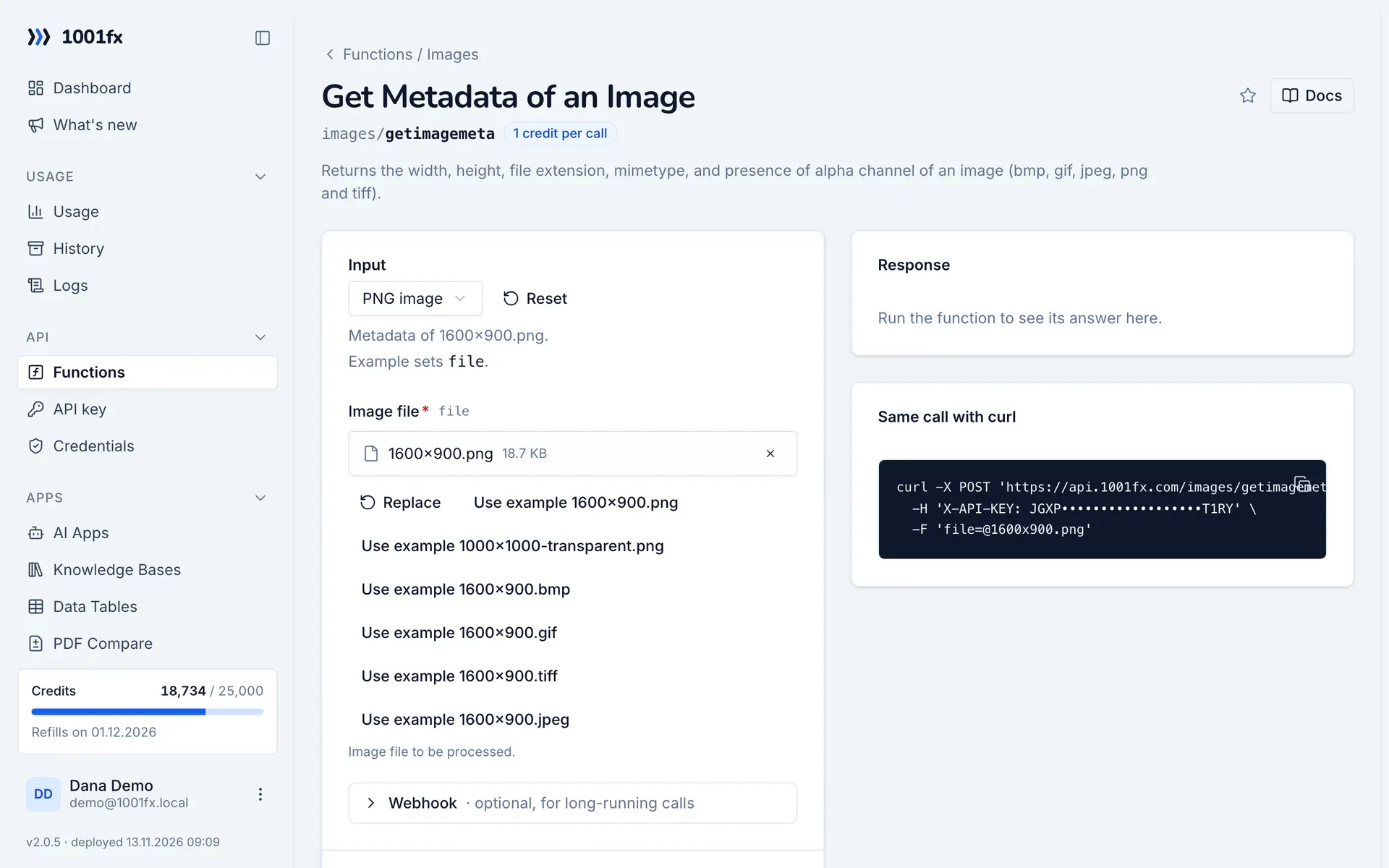
Run getimagemeta in your browser with your API key – fill the form, click Run and get the answer or the file.

getimagemeta in the 1001fx app: the form with example values
Get Metadata of an Image in the 1001fx app

Endpoint

POSThttps://api.1001fx.com/images/getimagemeta
Header
X-API-KEY: YOURSECRETAPIKEY How to
Content type
multipart/form-data

Parameters

  • filefilerequired

    Image file to be processed.

Examples

PNG image

Metadata of 1600x900.png.

Input

Expects one image file named as file parameter: file
{
  "files": [
    {
      "name": "1600x900.png",
      "type": "image/png",
      "path": "testdata/images/1600x900.png"
    }
  ]
}

Output · HTTP 200

Response
{
  "result": {
    "width": 1600,
    "height": 900,
    "extension": "png",
    "mime": "image/png",
    "hasAlpha": false
  }
}
Show curl command
curl -X POST 'https://api.1001fx.com/images/getimagemeta' \
  -H 'X-API-KEY: YOURSECRETAPIKEY' \
  -F 'file=@1600x900.png'

Transparent PNG

Metadata of 1000x1000-transparent.png.

Input

Expects one image file named as file parameter: file
{
  "files": [
    {
      "name": "1000x1000-transparent.png",
      "type": "image/png",
      "path": "testdata/images/1000x1000-transparent.png"
    }
  ]
}

Output · HTTP 200

Response
{
  "width": 1000,
  "height": 1000,
  "extension": "png",
  "MIME": "image/png",
  "hasAlpha": true
}
Show curl command
curl -X POST 'https://api.1001fx.com/images/getimagemeta' \
  -H 'X-API-KEY: YOURSECRETAPIKEY' \
  -F 'file=@1000x1000-transparent.png'

BMP image

Metadata of 1600x900.bmp.

Input

Expects one image file named as file parameter: file
{
  "files": [
    {
      "name": "1600x900.bmp",
      "type": "image/bmp",
      "path": "testdata/images/1600x900.bmp"
    }
  ]
}

Output · HTTP 200

Response
{
  "width": 1600,
  "height": 900,
  "extension": "bmp",
  "mime": "image/bmp",
  "hasAlpha": false
}
Show curl command
curl -X POST 'https://api.1001fx.com/images/getimagemeta' \
  -H 'X-API-KEY: YOURSECRETAPIKEY' \
  -F 'file=@1600x900.bmp'

GIF image

Metadata of 1600x900.gif.

Input

Expects one image file named as file parameter: file
{
  "files": [
    {
      "name": "1600x900.gif",
      "type": "image/gif",
      "path": "testdata/images/1600x900.gif"
    }
  ]
}

Output · HTTP 200

Response
{
  "width": 1600,
  "height": 900,
  "extension": "gif",
  "mime": "image/gif",
  "hasAlpha": false
}
Show curl command
curl -X POST 'https://api.1001fx.com/images/getimagemeta' \
  -H 'X-API-KEY: YOURSECRETAPIKEY' \
  -F 'file=@1600x900.gif'

TIFF image

Metadata of 1600x900.tiff.

Input

Expects one image file named as file parameter: file
{
  "files": [
    {
      "name": "1600x900.tiff",
      "type": "image/tiff",
      "path": "testdata/images/1600x900.tiff"
    }
  ]
}

Output · HTTP 200

Response
{
  "width": 1600,
  "height": 900,
  "extension": "tiff",
  "mime": "image/tiff",
  "hasAlpha": false
}
Show curl command
curl -X POST 'https://api.1001fx.com/images/getimagemeta' \
  -H 'X-API-KEY: YOURSECRETAPIKEY' \
  -F 'file=@1600x900.tiff'

JPEG image

Metadata of 1600x900.jpeg.

Input

Expects one image file named as file parameter: file
{
  "files": [
    {
      "name": "1600x900.jpeg",
      "type": "image/jpeg",
      "path": "testdata/images/1600x900.jpeg"
    }
  ]
}

Output · HTTP 200

Response
{
  "width": 1600,
  "height": 900,
  "extension": "jpeg",
  "mime": "image/jpeg",
  "hasAlpha": false
}
Show curl command
curl -X POST 'https://api.1001fx.com/images/getimagemeta' \
  -H 'X-API-KEY: YOURSECRETAPIKEY' \
  -F 'file=@1600x900.jpeg'

Try getimagemeta now

Run it in your browser or create a free account and get 100 credits every month.

Changelog

  • 1.0.021.02.2023created
Ask 1001fx