Browse all functions
1001fx account
Carbone documents
Data & JSON
Data tables
E-invoices
Files & PDF
- addtextwatermark2pdf
- addwatermark2pdf
- asset2base64
- comparepdfs
- compresspdf
- convertofficedocument
- csv2array
- decryptpdf
- decryptzip
- encryptpdf
- encryptzip
- extractinvoicedata
- extractpdfdata
- getpdfinfo
- html2pdf
- insertpdfpages
- markdown2pdf
- mergepdfs
- ocrdocx
- ocrpdf
- ocrpptx
- pdf2image
- removepdfpages
- rotatepdfpages
- setpdfmetadata
- splitpdf
- uploadasset
Images
- blurimage
- convertimage
- cropimage
- extractimagedata
- extractreceiptdata
- flipimage
- generatebarcode
- generateqrcode
- getimageexif
- getimagemeta
- html2image
- html2ogimage
- maskcircleimage
- maskimage
- modifyimageexif
- ocrimage
- overlayimages
- readbarcode
- readqrcode
- removeimageexif
- resizeimage
- rotateimage
- scaleimage
- scaleimagetofit
- sharpenimage
- text2image
Knowledge bases (RAG)
Playground
Spreadsheet
Stripe
Convert HTML to an Image
images/html2ogimage
html2ogimage (Convert HTML to an Image) is a 1001fx API function in the group Images: POST https://api.1001fx.com/images/html2ogimage, 5 credits per item. It works in Make, n8n, scripts and AI agents as a plain HTTP call.
Converts an HTML snippet (with Tailwind classes) into an image, e.g. an Open Graph image for social media.
Try it in the 1001fx app
Run html2ogimage in your browser with your API key – fill the form, click Run and get the answer or the file.
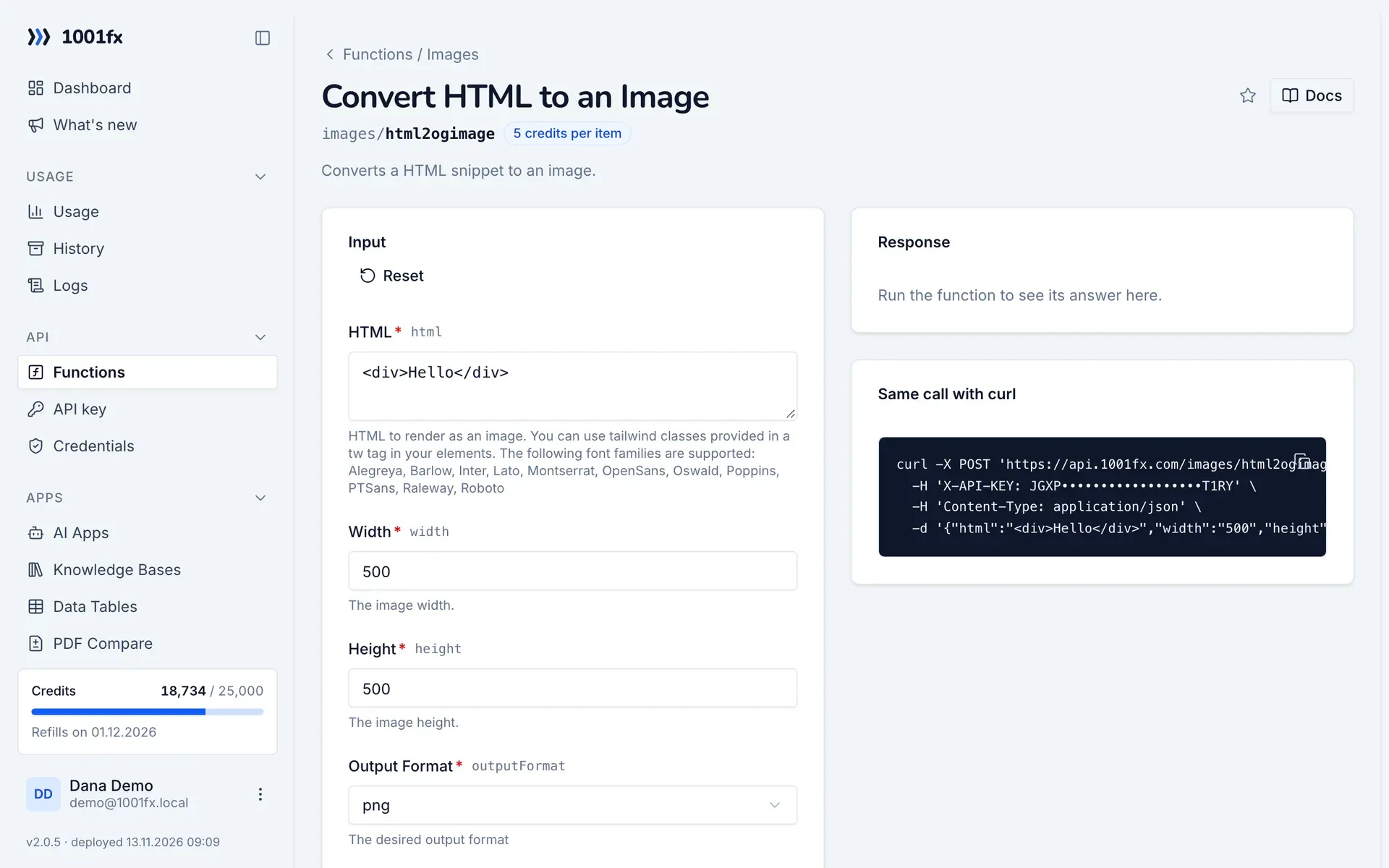
Endpoint
https://api.1001fx.com/images/html2ogimage- Header
X-API-KEY: YOURSECRETAPIKEYHow to- Content type
application/json
Parameters
htmlstringrequiredHTML to render as an image. You can use tailwind classes provided in a tw tag in your elements. The following font families are supported: Alegreya, Barlow, Inter, Lato, Montserrat, OpenSans, Oswald, Poppins, PTSans, Raleway, Roboto
- Example:
- <div>Hello</div>
widthnumberrequiredThe image width.
- Min:
- 1
- Max:
- 10000
- Example:
- 500
heightnumberrequiredThe image height.
- Min:
- 1
- Max:
- 10000
- Example:
- 500
outputFormatenumrequiredThe desired output format
- Values:
- png
- jpeg
- Example:
- png
defaultFontenumoptionalA default font that is injected at top level into your html. Can be overwritten by providing another font-family in a sub element.
- Values:
- Alegreya
- Barlow
- Inter
- Lato
- Montserrat
- OpenSans
- Oswald
- Poppins
- PTSans
- Raleway
- Roboto
- Example:
- OpenSans
Try html2ogimage now
Run it in your browser or create a free account and get 100 credits every month.
More in Images
Changelog
- 1.0.001.03.2023created