Browse all functions
1001fx account
Carbone documents
Data & JSON
Data tables
E-invoices
Files & PDF
- addtextwatermark2pdf
- addwatermark2pdf
- asset2base64
- comparepdfs
- compresspdf
- convertofficedocument
- csv2array
- decryptpdf
- decryptzip
- encryptpdf
- encryptzip
- extractinvoicedata
- extractpdfdata
- getpdfinfo
- html2pdf
- insertpdfpages
- markdown2pdf
- mergepdfs
- ocrdocx
- ocrpdf
- ocrpptx
- pdf2image
- removepdfpages
- rotatepdfpages
- setpdfmetadata
- splitpdf
- uploadasset
Images
- blurimage
- convertimage
- cropimage
- extractimagedata
- extractreceiptdata
- flipimage
- generatebarcode
- generateqrcode
- getimageexif
- getimagemeta
- html2image
- html2ogimage
- maskcircleimage
- maskimage
- modifyimageexif
- ocrimage
- overlayimages
- readbarcode
- readqrcode
- removeimageexif
- resizeimage
- rotateimage
- scaleimage
- scaleimagetofit
- sharpenimage
- text2image
Knowledge bases (RAG)
Playground
Spreadsheet
Stripe
YouTube
Insert YouTube Video
youtube/insertyoutubevideo
insertyoutubevideo (Insert YouTube Video) is a 1001fx API function in the group YouTube: POST https://api.1001fx.com/youtube/insertyoutubevideo, 5 credits per minute (minimum 5). It works in Make, n8n, scripts and AI agents as a plain HTTP call.
This function is deprecated and will be removed in a future release.
Uploads a video to YouTube and optionally sets the videos metadata.
This service is provided by an external service provider: YouTube. The data of the call is sent to the provider. More about service providers
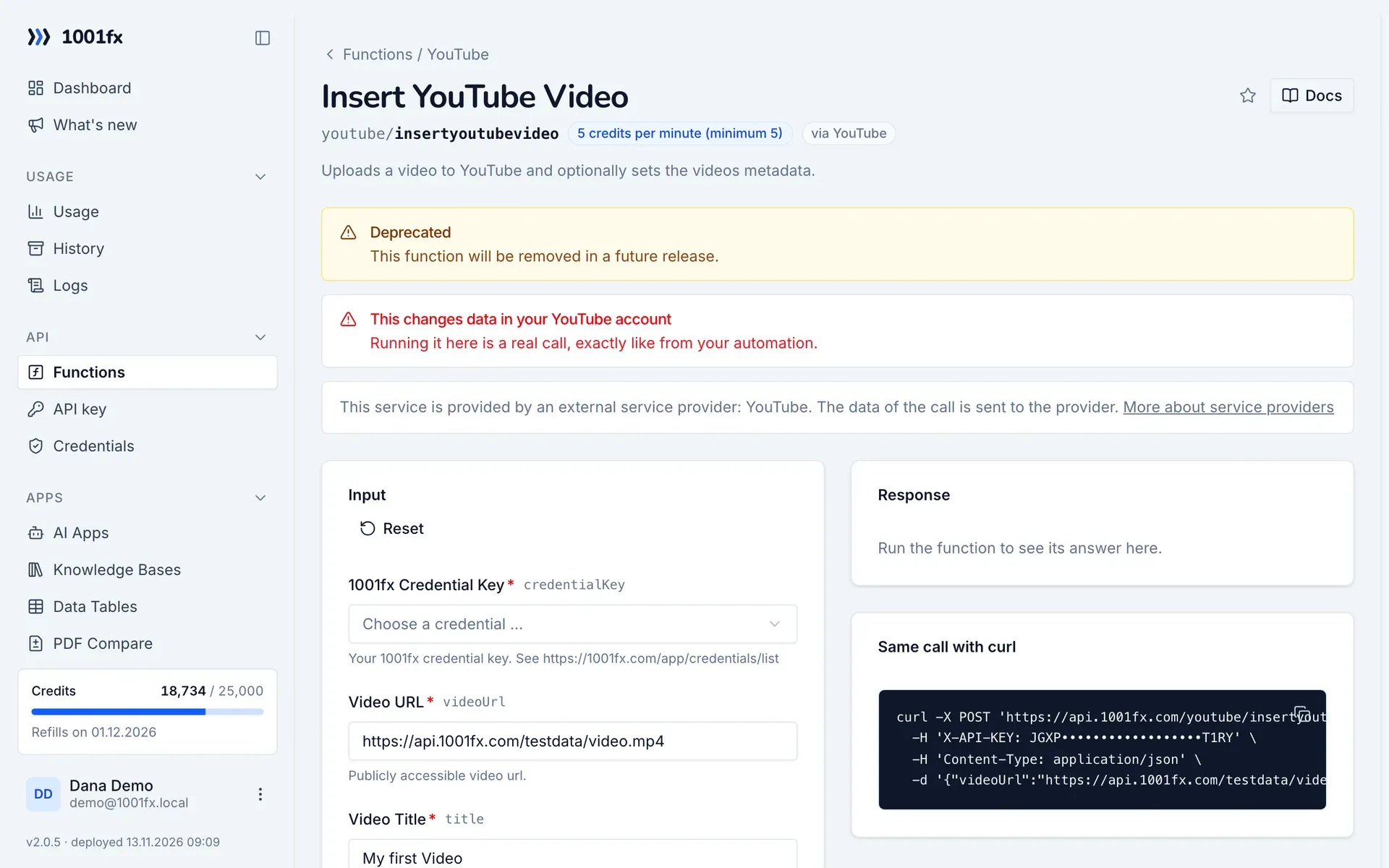
Try it in the 1001fx app
Run insertyoutubevideo in your browser with your API key – fill the form, click Run and get the answer or the file.
Endpoint
https://api.1001fx.com/youtube/insertyoutubevideo- Header
X-API-KEY: YOURSECRETAPIKEYHow to- Content type
application/json
Parameters
credentialKeystringrequiredYour 1001fx credential key. See https://1001fx.com/app/credentials/list
- Example:
- yourCredentialKey
videoUrlstringrequiredPublicly accessible video url.
- Example:
- https://api.1001fx.com/testdata/video.mp4
titlestringrequiredTitle for your video.
- Example:
- My first Video
categoryIdstringrequiredYoutube Category ID. See https://1001fx.com/functions/youtube/listyoutubevideocategories.
- Example:
- 20
defaultLanguagestringoptionalThe language of the text in the video resources snippet.title and snippet.description properties.
- Example:
- en
descriptionstringoptionalDescription for your video
- Example:
- I hope you like it
tagsarray<string>optionalA list of keyword tags associated with the video. Tags may contain spaces.
notifySubscribersbooleanoptionalIndicates whether YouTube should send a notification about the new video to users who subscribed to the channel. Defaults to true.
- Default:
- true
- Example:
- true
embeddablebooleanoptionalThis value indicates if the video can be embedded on another website. Defaults to true.
- Default:
- true
- Example:
- true
privacyStatusenumoptionalPrivacy status of your video.
- Values:
- private
- public
- unlisted
- Default:
- private
- Example:
- private
publicStatsViewablebooleanoptionalThis value indicates whether the extended video statistics on the videos watch page are publicly viewable. Defaults to true.
- Default:
- true
- Example:
- true
publishAtstring (DD.MM.YYYY)optionalThe date and time when the video is scheduled to publish. It can be set only if the privacy status of the video is private. Your date needs to be in one of the following formats DD.MM.YYYY, DD.MM.YY, DD.MM.YYYY HH:mm, DD.MM.YY HH:mm, MM-DD-YYYY, MM-DD-YYYY HH:mm, MM-DD-YY, MM-DD-YY HH:mm.
localizationsarray<object>optionalThe localizations object encapsulates translations of the videos metadata.
- Min items:
- 1
keystringrequiredThe language of the localized text associated with the key value. The value is a string that contains a BCP-47 language code. See https://1001fx.com/functions/listyoutubei18nlanguages.
- Example:
- de
titlestringrequiredThe localized video title.
- Example:
- Mein Video Titel
descriptionstringoptionalThe localized video description.
- Example:
- Meine deutsche Video Beschreibung
Try insertyoutubevideo now
Run it in your browser or create a free account and get 100 credits every month.
More in YouTube
Changelog
- 1.0.025.04.2023created