Skip to content
Browse all functions

Convert a CSV to Array of Objects

files/csv2array

csv2array (Convert a CSV to Array of Objects) is a 1001fx API function in the group Files & PDF: POST https://api.1001fx.com/files/csv2array, 3 credits per call. It works as a ready-made module in Make and n8n or as a plain HTTP call.

3 credits per callHTTP APIn8nMake

Converts a csv and parse it into an array of objects. The file must be a valid csv file (not an Excel or GSheet spreadsheet).

Use cases

  • Import a CSV export from a shop system into a database row by row
  • Read a tab-separated report from an email attachment and loop over the lines
  • Turn a CSV file from an FTP server into JSON for a CRM update

Try it in the 1001fx app

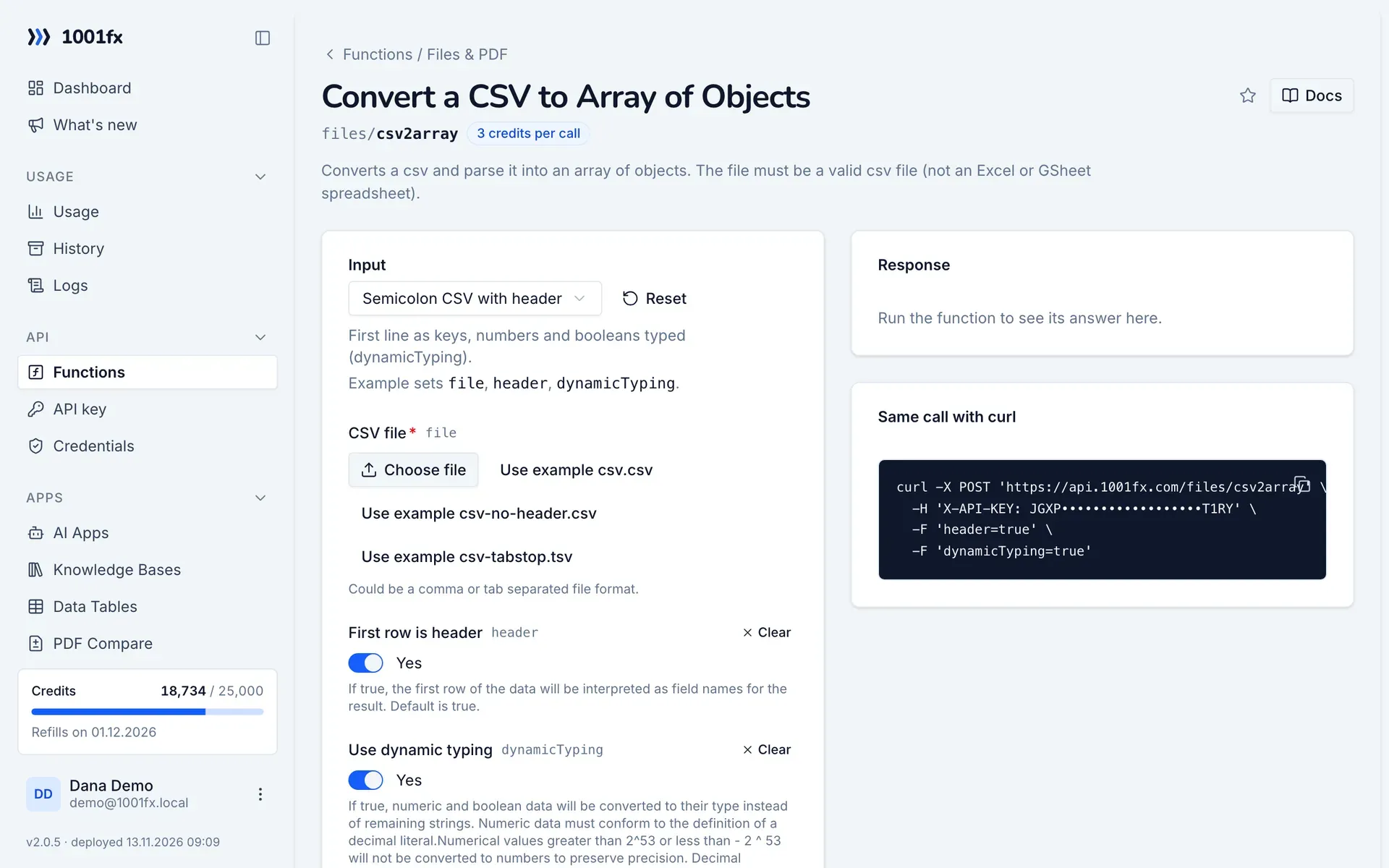
Run csv2array in your browser with your API key – fill the form, click Run and get the answer or the file.

csv2array in the 1001fx app: the form with example values
Convert a CSV to Array of Objects in the 1001fx app

Endpoint

POSThttps://api.1001fx.com/files/csv2array
Header
X-API-KEY: YOURSECRETAPIKEY How to
Content type
multipart/form-data

Parameters

  • filefilerequired

    Could be a comma or tab separated file format.

  • headerbooleanoptional

    If true, the first row of the data will be interpreted as field names for the result. Default is true.

    Default:
    true
    Example:
    true
  • dynamicTypingbooleanoptional

    If true, numeric and boolean data will be converted to their type instead of remaining strings. Numeric data must conform to the definition of a decimal literal.Numerical values greater than 2^53 or less than - 2 ^ 53 will not be converted to numbers to preserve precision. Decimal delimiter has to be a '.' Default is true.

    Default:
    true
    Example:
    true

Examples

Semicolon CSV with header

First line as keys, numbers and booleans typed (dynamicTyping).

Input

Expects a single file named as: file
{
  "header": true,
  "dynamicTyping": true,
  "files": [
    {
      "name": "csv.csv",
      "type": "",
      "path": "testdata/csv.csv"
    }
  ]
}

Output · HTTP 200

Response
{
  "result": [
    {
      "name": "Alice",
      "score": 1
    },
    {
      "name": "Bob",
      "score": 2.12
    },
    {
      "name": "Charlie",
      "score": "4,00"
    },
    {
      "name": "Dave",
      "score": "8.888,88"
    },
    {
      "name": "Eve",
      "score": "16,123"
    }
  ],
  "full": {
    "data": [
      {
        "name": "Alice",
        "score": 1
      },
      {
        "name": "Bob",
        "score": 2.12
      },
      {
        "name": "Charlie",
        "score": "4,00"
      },
      {
        "name": "Dave",
        "score": "8.888,88"
      },
      {
        "name": "Eve",
        "score": "16,123"
      }
    ],
    "errors": [],
    "meta": {
      "delimiter": ";",
      "linebreak": "\r\n",
      "aborted": false,
      "truncated": false,
      "cursor": 70,
      "fields": [
        "name",
        "score"
      ]
    }
  }
}
Show curl command
curl -X POST 'https://api.1001fx.com/files/csv2array' \
  -H 'X-API-KEY: YOURSECRETAPIKEY' \
  -F 'file=@csv.csv' \
  -F 'header=true' \
  -F 'dynamicTyping=true'

Semicolon CSV without header

Every line as an array of strings.

Input

Expects a single file named as: file
{
  "header": false,
  "dynamicTyping": false,
  "files": [
    {
      "name": "csv-no-header.csv",
      "type": "",
      "path": "testdata/csv-no-header.csv"
    }
  ]
}

Output · HTTP 200

Response
{
  "statusCode": 200
}
Show curl command
curl -X POST 'https://api.1001fx.com/files/csv2array' \
  -H 'X-API-KEY: YOURSECRETAPIKEY' \
  -F 'file=@csv-no-header.csv' \
  -F 'header=false' \
  -F 'dynamicTyping=false'

Tab-separated file (TSV)

Detects the tab as delimiter.

Input

Expects a single file named as: file
{
  "files": [
    {
      "name": "csv-tabstop.tsv",
      "type": "",
      "path": "testdata/csv-tabstop.tsv"
    }
  ]
}

Output · HTTP 200

Response
{
  "statusCode": 200
}
Show curl command
curl -X POST 'https://api.1001fx.com/files/csv2array' \
  -H 'X-API-KEY: YOURSECRETAPIKEY' \
  -F 'file=@csv-tabstop.tsv'

Frequently asked questions

Can I upload an Excel or Google Sheets file?
No. The file must be a real CSV or TSV file. Export the sheet as CSV first.
Which separators are supported?
Comma, semicolon and tab separated files are detected.
Why are some numbers returned as text?
With dynamicTyping numbers are converted only if they are decimal literals such as 2.12. Values with a decimal comma like 4,00 stay strings.

Try csv2array now

Run it in your browser or create a free account and get 100 credits every month.

Changelog

  • 1.0.004.01.2023created
Ask 1001fx