Browse all functions
1001fx account
Carbone documents
Data & JSON
Data tables
E-invoices
Files & PDF
- addtextwatermark2pdf
- addwatermark2pdf
- asset2base64
- comparepdfs
- compresspdf
- convertofficedocument
- csv2array
- decryptpdf
- decryptzip
- encryptpdf
- encryptzip
- extractinvoicedata
- extractpdfdata
- getpdfinfo
- html2pdf
- insertpdfpages
- markdown2pdf
- mergepdfs
- ocrdocx
- ocrpdf
- ocrpptx
- pdf2image
- removepdfpages
- rotatepdfpages
- setpdfmetadata
- splitpdf
- uploadasset
Images
- blurimage
- convertimage
- cropimage
- extractimagedata
- extractreceiptdata
- flipimage
- generatebarcode
- generateqrcode
- getimageexif
- getimagemeta
- html2image
- html2ogimage
- maskcircleimage
- maskimage
- modifyimageexif
- ocrimage
- overlayimages
- readbarcode
- readqrcode
- removeimageexif
- resizeimage
- rotateimage
- scaleimage
- scaleimagetofit
- sharpenimage
- text2image
Knowledge bases (RAG)
Playground
Spreadsheet
Stripe
Add Watermark to PDF
files/addwatermark2pdf
addwatermark2pdf (Add Watermark to PDF) is a 1001fx API function in the group Files & PDF: POST https://api.1001fx.com/files/addwatermark2pdf, 3 credits per call. It works as a ready-made module in Make and n8n or as a plain HTTP call.
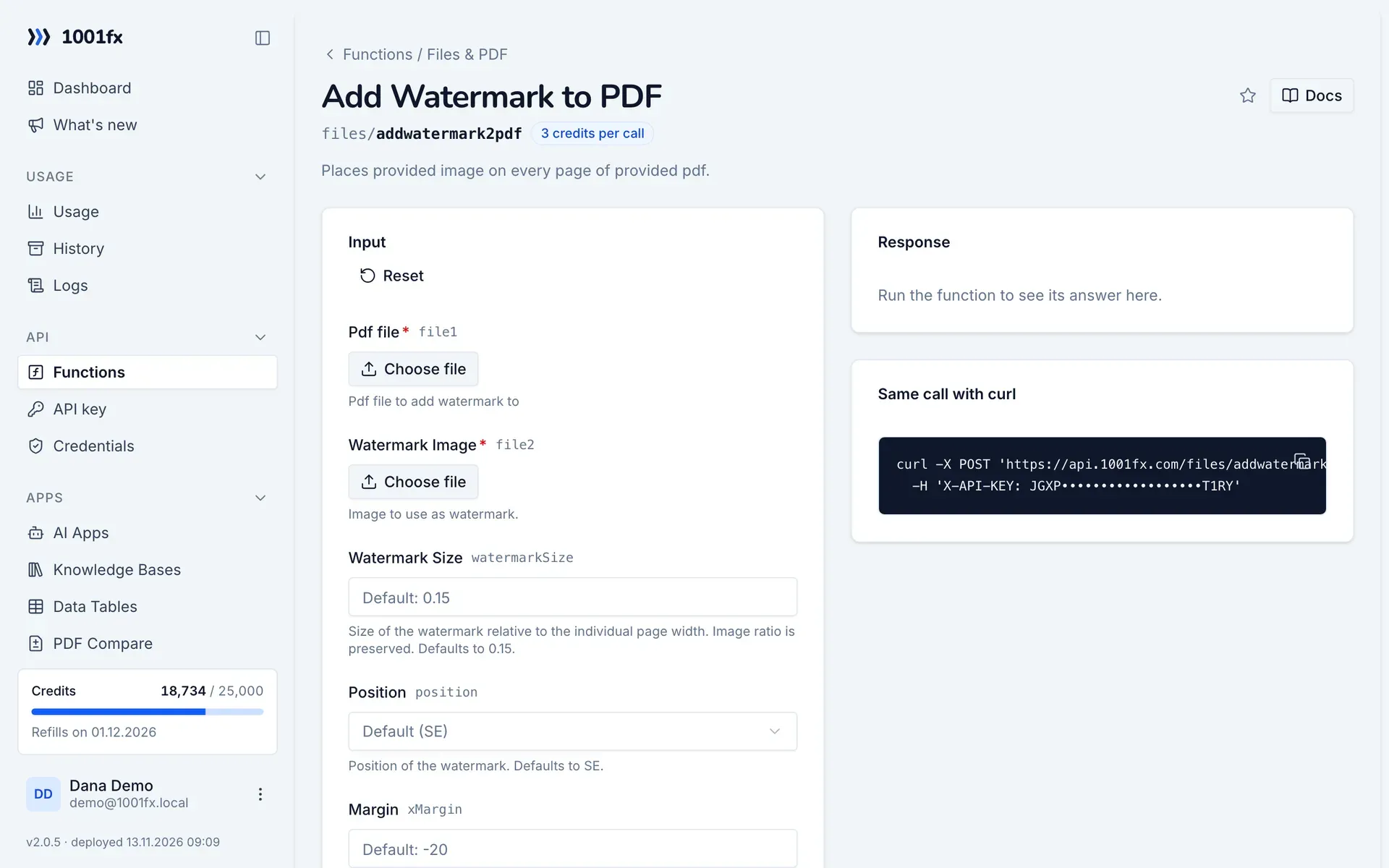
Places provided image on every page of provided pdf.
Try it in the 1001fx app
Run addwatermark2pdf in your browser with your API key – fill the form, click Run and get the answer or the file.
Endpoint
https://api.1001fx.com/files/addwatermark2pdf- Header
X-API-KEY: YOURSECRETAPIKEYHow to- Content type
multipart/form-data
Parameters
file1filerequiredPdf file to add watermark to
file2filerequiredImage to use as watermark.
watermarkSizenumberoptionalSize of the watermark relative to the individual page width. Image ratio is preserved. Defaults to 0.15.
- Default:
- 0.15
- Min:
- 1e-8
- Max:
- 1
- Example:
- 0.15
positionenumoptionalPosition of the watermark. Defaults to SE.
- Values:
- SE
- NE
- NC
- NW
- SC
- SW
- C
- CE
- CW
- Default:
- SE
- Example:
- C
xMarginnumberoptionalMargin in pixel. The x=0 coordinate of the page is in the bottom left. To move your image to the left provide a negative margin. Defaults to -20.
- Default:
- -20
- Example:
- 20
yMarginnumberoptionalMargin in pixel. The y=0 coordinate of the page is in the bottom left. To move your image down provide a negative margin. Defaults to 20.
- Default:
- 20
- Example:
- 20
opacitynumberoptionalOpacity of your image. Defaults to 1.
- Default:
- 1
- Min:
- 1e-8
- Max:
- 1
- Example:
- 1
Try addwatermark2pdf now
Run it in your browser or create a free account and get 100 credits every month.
More in Files & PDF
Changelog
- 1.0.002.03.2023created