Skip to content
Browse all functions

Transcribe Audio with OpenAI

ai/audiotranscriptionopenai

audiotranscriptionopenai (Transcribe Audio with OpenAI) is a 1001fx API function in the group AI: POST https://api.1001fx.com/ai/audiotranscriptionopenai, 10 credits per minute (minimum 10). It works as a ready-made module in n8n or as a plain HTTP call.

This function is deprecated and will be removed in a future release.

Transcribes audio to text. Will be charged per minute.

  • This service is provided by an external service provider: Microsoft Azure OpenAI. The data of the call is sent to the provider. More about service providers

Try it in the 1001fx app

Run audiotranscriptionopenai in your browser with your API key – fill the form, click Run and get the answer or the file.

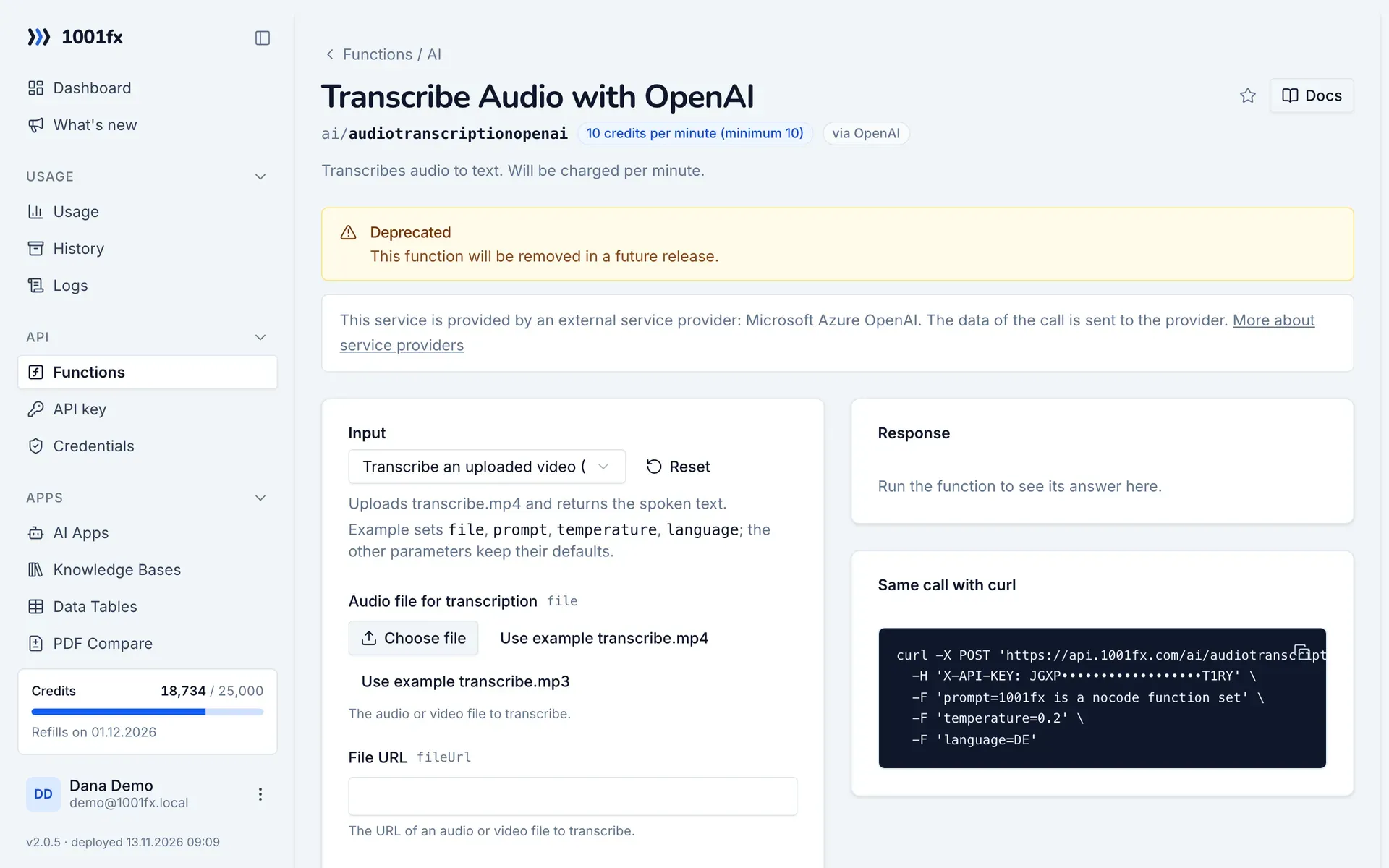
audiotranscriptionopenai in the 1001fx app: the form with example values
Transcribe Audio with OpenAI in the 1001fx app

Endpoint

POSThttps://api.1001fx.com/ai/audiotranscriptionopenai
Header
X-API-KEY: YOURSECRETAPIKEY How to
Content type
multipart/form-data

Parameters

  • filefileoptional

    The audio or video file to transcribe.

  • fileUrlstringoptional

    The URL of an audio or video file to transcribe.

  • promptstringoptional

    An optional text to guide the model's style or continue a previous audio segment. The prompt should match the audio language.

    Example:
    1001fx is a nocode function set
  • temperaturenumberoptional

    The sampling temperature, between 0 and 1. Higher values like 0.8 will make the output more random, while lower values like 0.2 will make it more focused and deterministic. Default is 0

    Default:
    0
    Example:
    0.2
  • languagestringoptional

    The language of the input audio. Supplying the input language in ISO-639-1 format will improve accuracy and latency. See https://en.wikipedia.org/wiki/List_of_ISO_639-1_codes

    Example:
    DE
  • responseFormatenumoptional

    The format of the transcript output. Defaults to json.

    Values:
    json
    Default:
    json
    Example:
    json

Examples

Transcribe an uploaded video (MP4)

Uploads transcribe.mp4 and returns the spoken text.

Input

Expects a audio file
{
  "prompt": "1001fx is a nocode function set",
  "temperature": 0.2,
  "language": "DE",
  "files": [
    {
      "name": "transcribe.mp4",
      "type": "",
      "path": "testdata/transcribe.mp4"
    }
  ]
}

Output · HTTP 200

Result is the transcripted text.
{
  "result": {
    "text": "1001fx is a nocode function library.",
    "duration": 0.07488333333333334,
    "durationUnit": "minutes"
  }
}
Show curl command
curl -X POST 'https://api.1001fx.com/ai/audiotranscriptionopenai' \
  -H 'X-API-KEY: YOURSECRETAPIKEY' \
  -F 'file=@transcribe.mp4' \
  -F 'prompt=1001fx is a nocode function set' \
  -F 'temperature=0.2' \
  -F 'language=DE'

Transcribe an uploaded audio file (MP3)

Uploads transcribe.mp3 and returns the spoken text.

Input

Expects a video file
{
  "prompt": "1001fx is a nocode function set",
  "temperature": 0.2,
  "language": "DE",
  "files": [
    {
      "name": "transcribe.mp3",
      "type": "",
      "path": "testdata/transcribe.mp3"
    }
  ]
}

Output · HTTP 200

Result is the transcripted text.
{
  "result": {
    "text": "1001fx is a nocode function library.",
    "duration": 0.07488333333333334,
    "durationUnit": "minutes"
  }
}
Show curl command
curl -X POST 'https://api.1001fx.com/ai/audiotranscriptionopenai' \
  -H 'X-API-KEY: YOURSECRETAPIKEY' \
  -F 'file=@transcribe.mp3' \
  -F 'prompt=1001fx is a nocode function set' \
  -F 'temperature=0.2' \
  -F 'language=DE'

Transcribe audio from a URL

Reads the audio file from fileUrl instead of an upload.

Input

Expects a audio file
{
  "prompt": "1001fx is a nocode function set",
  "temperature": 0.2,
  "language": "DE",
  "fileUrl": "https://api.1001fx.com/testdata/transcribe.mp3"
}

Output · HTTP 200

Result is the transcripted text.
{
  "result": {
    "text": "1001fx is a nocode function library.",
    "duration": 0.07488333333333334,
    "durationUnit": "minutes"
  }
}
Show curl command
curl -X POST 'https://api.1001fx.com/ai/audiotranscriptionopenai' \
  -H 'X-API-KEY: YOURSECRETAPIKEY' \
  -F 'prompt=1001fx is a nocode function set' \
  -F 'temperature=0.2' \
  -F 'language=DE' \
  -F 'fileUrl=https://api.1001fx.com/testdata/transcribe.mp3'

Transcribe video from a URL

Reads the video file from fileUrl instead of an upload.

Input

Expects a video file
{
  "prompt": "1001fx is a nocode function set",
  "temperature": 0.2,
  "language": "DE",
  "fileUrl": "https://api.1001fx.com/testdata/transcribe.mp4"
}

Output · HTTP 200

Result is the transcripted text.
{
  "result": {
    "text": "1001fx is a nocode function library.",
    "duration": 0.07488333333333334,
    "durationUnit": "minutes"
  }
}
Show curl command
curl -X POST 'https://api.1001fx.com/ai/audiotranscriptionopenai' \
  -H 'X-API-KEY: YOURSECRETAPIKEY' \
  -F 'prompt=1001fx is a nocode function set' \
  -F 'temperature=0.2' \
  -F 'language=DE' \
  -F 'fileUrl=https://api.1001fx.com/testdata/transcribe.mp4'

Try audiotranscriptionopenai now

Run it in your browser or create a free account and get 100 credits every month.

Changelog

  • 1.0.011.03.2023created
Ask 1001fx