Skip to content
Browse all functions

Create Fake Data

data/createfakedata

createfakedata (Create Fake Data) is a 1001fx API function in the group Data & JSON: POST https://api.1001fx.com/data/createfakedata, 2 credits per call. It works as a ready-made module in Make and n8n or as a plain HTTP call.

2 credits per callHTTP APIn8nMake

Creates realistic fake data for testing and development. Examples: address, date, lorem ipsum, commercial products, company, image, random numbers, URLs and many more).

Try it in the 1001fx app

Run createfakedata in your browser with your API key – fill the form, click Run and get the answer or the file.

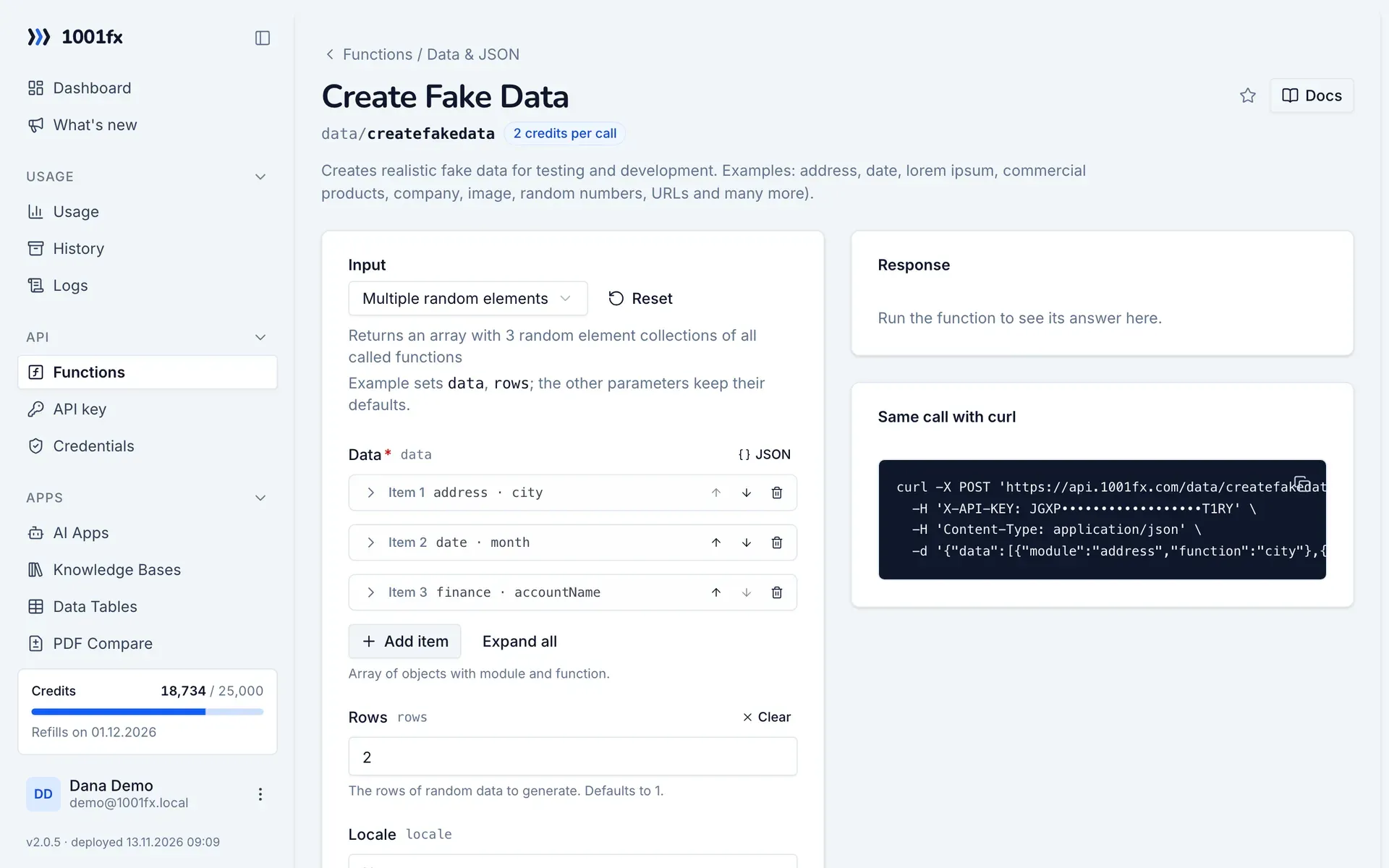
createfakedata in the 1001fx app: the form with example values
Create Fake Data in the 1001fx app

Endpoint

POSThttps://api.1001fx.com/data/createfakedata
Header
X-API-KEY: YOURSECRETAPIKEY How to
Content type
application/json

Parameters

  • dataarray<object>required

    Array of objects with module and function.

    • moduleenumrequired

      Name of the module.

      Values:
      address
      animal
      color
      commerce
      company
      database
      datatype
      date
      finance
      git
      hacker
      helpers
      image
      internet
      lorem
      mersenne
      music
      name
      phone
      random
      science
      system
      vehicle
      word
      Example:
      address
    • functionstringrequired

      Name of the function.

      Example:
      city
  • rowsnumberoptional

    The rows of random data to generate. Defaults to 1.

    Default:
    1
    Max:
    250
    Example:
    2
  • localeenumoptional

    Localization for data. Defaults to 'en'.

    Values:
    af_ZA
    ar
    az
    cz
    de
    de_AT
    de_CH
    el
    en
    en_AU
    en_AU_ocker
    en_BORK
    en_CA
    en_GB
    en_GH
    en_IE
    en_IND
    en_NG
    en_US
    en_ZA
    es
    es_MX
    fa
    fi
    fr
    fr_BE
    fr_CA
    fr_CH
    ge
    he
    hr
    hu
    hy
    id_ID
    it
    ja
    ko
    lv
    mk
    nb_NO
    ne
    nl
    nl_BE
    pl
    pt_BR
    pt_PT
    ro
    ru
    sk
    sv
    tr
    uk
    ur
    vi
    zh_CN
    zh_TW
    zu_ZA
    Example:
    en

Examples

Multiple random elements

Returns an array with 3 random element collections of all called functions

Input

Expects a json body
{
  "data": [
    {
      "module": "address",
      "function": "city"
    },
    {
      "module": "date",
      "function": "month"
    },
    {
      "module": "finance",
      "function": "accountName"
    }
  ],
  "rows": 2
}

Output · HTTP 200

Response
{
  "statusCode": 200
}
Show curl command
curl -X POST 'https://api.1001fx.com/data/createfakedata' \
  -H 'X-API-KEY: YOURSECRETAPIKEY' \
  -H 'Content-Type: application/json' \
  -d '{"data":[{"module":"address","function":"city"},{"module":"date","function":"month"},{"module":"finance","function":"accountName"}],"rows":2}'

Random element

Returns one random element of all called functions

Input

Expects a json body
{
  "data": [
    {
      "module": "name",
      "function": "fullName"
    },
    {
      "module": "animal",
      "function": "cat"
    },
    {
      "module": "git",
      "function": "branch"
    },
    {
      "module": "color",
      "function": "cmyk"
    },
    {
      "module": "hacker",
      "function": "abbreviation"
    }
  ]
}

Output · HTTP 200

Response
{
  "statusCode": 200
}
Show curl command
curl -X POST 'https://api.1001fx.com/data/createfakedata' \
  -H 'X-API-KEY: YOURSECRETAPIKEY' \
  -H 'Content-Type: application/json' \
  -d '{"data":[{"module":"name","function":"fullName"},{"module":"animal","function":"cat"},{"module":"git","function":"branch"},{"module":"color","function":"cmyk"},{"module":"hacker","function":"abbreviation"}]}'

Change locale

Returns one random element of all called functions in a different locale

Input

Expects a json body
{
  "data": [
    {
      "module": "address",
      "function": "city"
    },
    {
      "module": "date",
      "function": "month"
    },
    {
      "module": "mersenne",
      "function": "rand"
    },
    {
      "module": "finance",
      "function": "accountName"
    },
    {
      "module": "music",
      "function": "genre"
    },
    {
      "module": "name",
      "function": "fullName"
    },
    {
      "module": "animal",
      "function": "cat"
    },
    {
      "module": "git",
      "function": "branch"
    },
    {
      "module": "color",
      "function": "cmyk"
    },
    {
      "module": "hacker",
      "function": "abbreviation"
    }
  ],
  "locale": "de"
}

Output · HTTP 200

Response
{
  "statusCode": 200
}
Show curl command
curl -X POST 'https://api.1001fx.com/data/createfakedata' \
  -H 'X-API-KEY: YOURSECRETAPIKEY' \
  -H 'Content-Type: application/json' \
  -d '{"data":[{"module":"address","function":"city"},{"module":"date","function":"month"},{"module":"mersenne","function":"rand"},{"module":"finance","function":"accountName"},{"module":"music","function":"genre"},{"module":"name","function":"fullName"},{"module":"animal","function":"cat"},{"module":"git","function":"branch"},{"module":"color","function":"cmyk"},{"module":"hacker","function":"abbreviation"}],"locale":"de"}'

Try createfakedata now

Run it in your browser or create a free account and get 100 credits every month.

Changelog

  • 1.0.022.02.2023created
Ask 1001fx