Skip to content
Browse all functions

Hlookup Spreadsheet Function for an Array

spreadsheet/hlookup

hlookup (Hlookup Spreadsheet Function for an Array) is a 1001fx API function in the group Spreadsheet: POST https://api.1001fx.com/spreadsheet/hlookup, 2 credits per call. It works as a ready-made module in Make and n8n or as a plain HTTP call.

2 credits per callHTTP APIn8nMake

Implements a hlookup function similar to the GSheet and Excel functions. Searches for a value in the top row of a table or an array of values, and then returns a value in the same column from a row you specify in the table or array.

Try it in the 1001fx app

Run hlookup in your browser with your API key – fill the form, click Run and get the answer or the file.

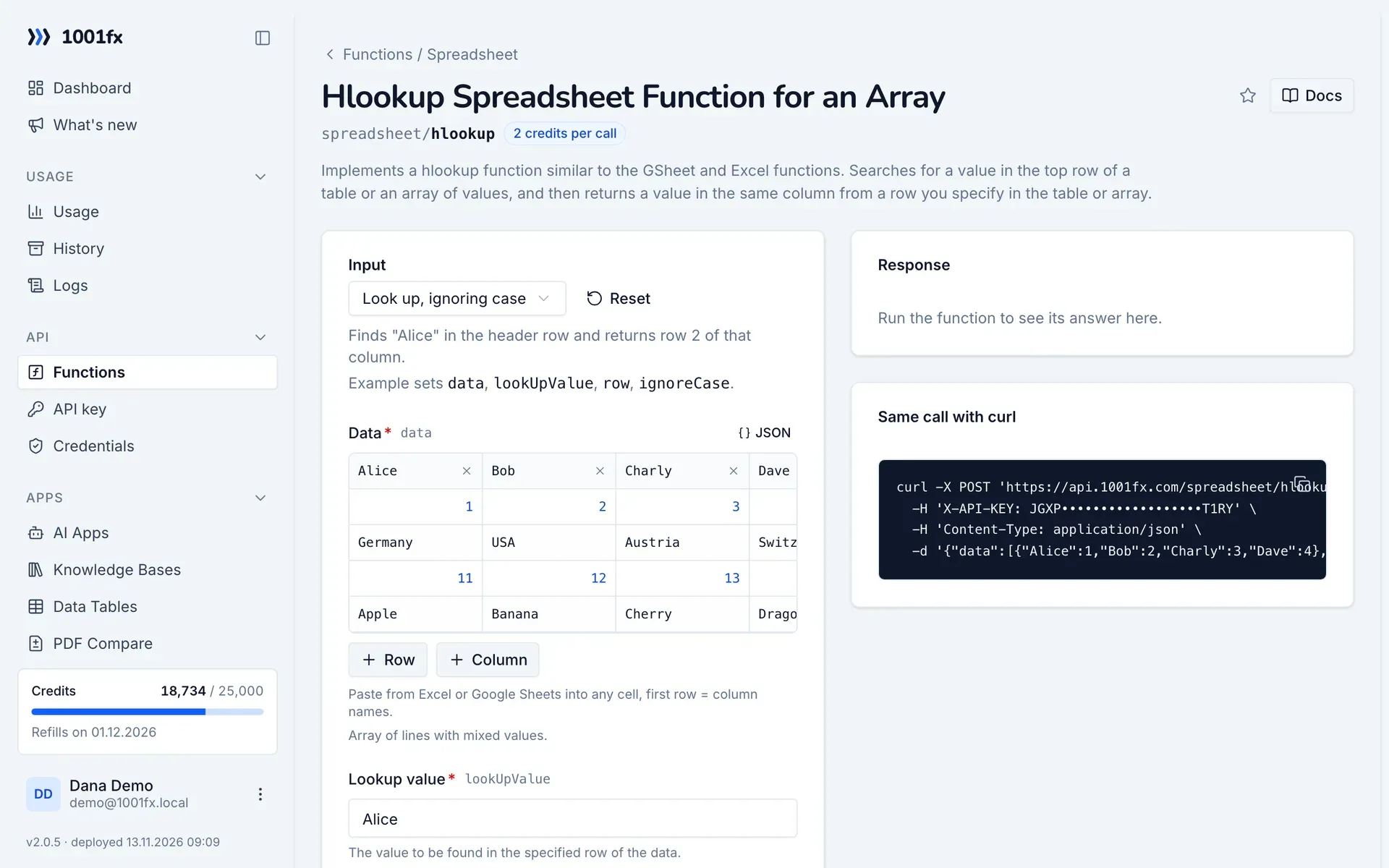
hlookup in the 1001fx app: the form with example values
Hlookup Spreadsheet Function for an Array in the 1001fx app

Endpoint

POSThttps://api.1001fx.com/spreadsheet/hlookup
Header
X-API-KEY: YOURSECRETAPIKEY How to
Content type
application/json

Parameters

  • dataarray<object>required

    Array of lines with mixed values.

  • lookUpValuestringrequired

    The value to be found in the specified row of the data.

    Example:
    Alice
  • rownumberrequired

    The row to look up.

    Min:
    0
    Example:
    2
  • ignoreCasebooleanoptional

    Sets case sensitivity for lookup operation.

    Default:
    true
    Example:
    true

Examples

Look up, ignoring case

Finds "Alice" in the header row and returns row 2 of that column.

Input

Expects a json body
{
  "data": [
    {
      "Alice": 1,
      "Bob": 2,
      "Charly": 3,
      "Dave": 4
    },
    {
      "Alice": "Germany",
      "Bob": "USA",
      "Charly": "Austria",
      "Dave": "Switzerland"
    },
    {
      "Alice": 11,
      "Bob": 12,
      "Charly": 13,
      "Dave": 14
    },
    {
      "Alice": "Apple",
      "Bob": "Banana",
      "Charly": "Cherry",
      "Dave": "Dragonfruit"
    }
  ],
  "lookUpValue": "Alice",
  "row": 2,
  "ignoreCase": true
}

Output · HTTP 200

Response
{
  "result": "Germany"
}
Show curl command
curl -X POST 'https://api.1001fx.com/spreadsheet/hlookup' \
  -H 'X-API-KEY: YOURSECRETAPIKEY' \
  -H 'Content-Type: application/json' \
  -d '{"data":[{"Alice":1,"Bob":2,"Charly":3,"Dave":4},{"Alice":"Germany","Bob":"USA","Charly":"Austria","Dave":"Switzerland"},{"Alice":11,"Bob":12,"Charly":13,"Dave":14},{"Alice":"Apple","Bob":"Banana","Charly":"Cherry","Dave":"Dragonfruit"}],"lookUpValue":"Alice","row":2,"ignoreCase":true}'

Look up

Finds "Charly" in the header row and returns row 2 of that column.

Input

Expects a json body
{
  "data": [
    {
      "Alice": 1,
      "Bob": 2,
      "Charly": 3,
      "Dave": 4
    },
    {
      "Alice": "Germany",
      "Bob": "USA",
      "Charly": "Austria",
      "Dave": "Switzerland"
    },
    {
      "Alice": 11,
      "Bob": 12,
      "Charly": 13,
      "Dave": 14
    },
    {
      "Alice": "Apple",
      "Bob": "Banana",
      "Charly": "Cherry",
      "Dave": "Dragonfruit"
    }
  ],
  "lookUpValue": "Charly",
  "row": 2
}

Output · HTTP 200

Response
{
  "result": "Austria"
}
Show curl command
curl -X POST 'https://api.1001fx.com/spreadsheet/hlookup' \
  -H 'X-API-KEY: YOURSECRETAPIKEY' \
  -H 'Content-Type: application/json' \
  -d '{"data":[{"Alice":1,"Bob":2,"Charly":3,"Dave":4},{"Alice":"Germany","Bob":"USA","Charly":"Austria","Dave":"Switzerland"},{"Alice":11,"Bob":12,"Charly":13,"Dave":14},{"Alice":"Apple","Bob":"Banana","Charly":"Cherry","Dave":"Dragonfruit"}],"lookUpValue":"Charly","row":2}'

Try hlookup now

Run it in your browser or create a free account and get 100 credits every month.

Changelog

  • 1.0.005.01.2023created
Ask 1001fx