Skip to content
Browse all functions

Scale an Image

images/scaleimage

scaleimage (Scale an Image) is a 1001fx API function in the group Images: POST https://api.1001fx.com/images/scaleimage, 3 credits per call. It works as a ready-made module in Make and n8n or as a plain HTTP call.

3 credits per callHTTP APIn8nMake

Scales the image by the specified factor.

Try it in the 1001fx app

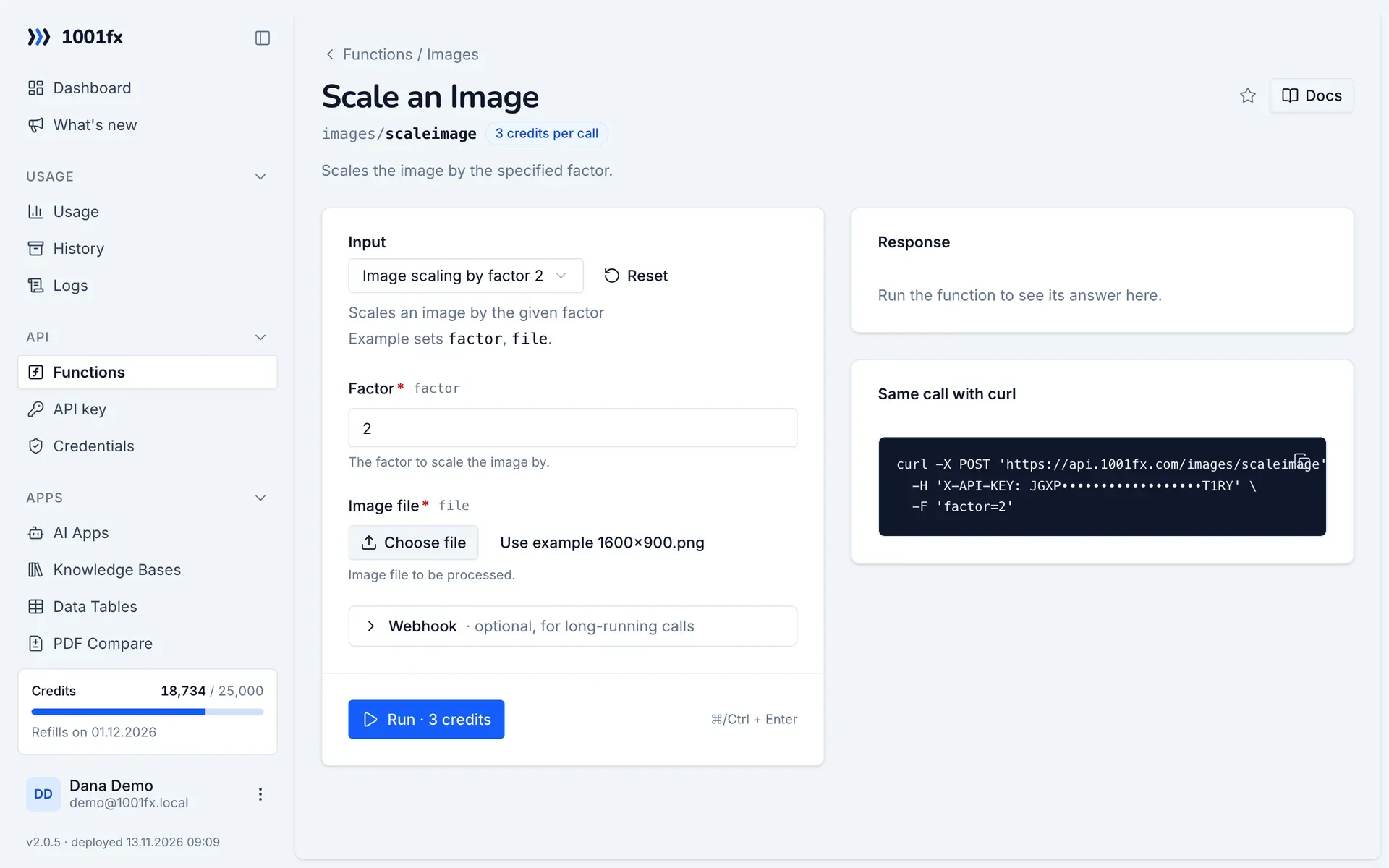
Run scaleimage in your browser with your API key – fill the form, click Run and get the answer or the file.

scaleimage in the 1001fx app: the form with example values
Scale an Image in the 1001fx app

Endpoint

POSThttps://api.1001fx.com/images/scaleimage
Header
X-API-KEY: YOURSECRETAPIKEY How to
Content type
multipart/form-data

Parameters

  • factornumberrequired

    The factor to scale the image by.

    Min:
    0.000001
    Max:
    10
    Example:
    2
  • filefilerequired

    Image file to be processed.

Examples

Image scaling by factor 2

Scales an image by the given factor

Input

Expects one image file named as file parameter: file
{
  "factor": "2",
  "files": [
    {
      "name": "1600x900.png",
      "type": "image/png",
      "path": "testdata/images/1600x900.png"
    }
  ]
}

Output · HTTP 200

Result is a single file.
{
  "statusCode": 200,
  "headers": {
    "content-type": "image/png"
  }
}
Show curl command
curl -X POST 'https://api.1001fx.com/images/scaleimage' \
  -H 'X-API-KEY: YOURSECRETAPIKEY' \
  -F 'file=@1600x900.png' \
  -F 'factor=2'

Use cases

Try scaleimage now

Run it in your browser or create a free account and get 100 credits every month.

Changelog

  • 1.0.002.02.2023created
Ask 1001fx