Skip to content
Browse all functions

Format Date and Time

datetime/formatdatetime

formatdatetime (Format Date and Time) is a 1001fx API function in the group Date & time: POST https://api.1001fx.com/datetime/formatdatetime, 1 credit per call. It works as a ready-made module in n8n or as a plain HTTP call.

Formats a date and time into the output format you specify, e.g. YYYY-MM-DD or DD.MM.YYYY HH:mm.

Use cases

  • Convert a US date from a form into DD.MM.YYYY for a German CRM
  • Format timestamps for email subjects and file names
  • Bring dates from several sources into one format before you compare them

Try it in the 1001fx app

Run formatdatetime in your browser with your API key – fill the form, click Run and get the answer or the file.

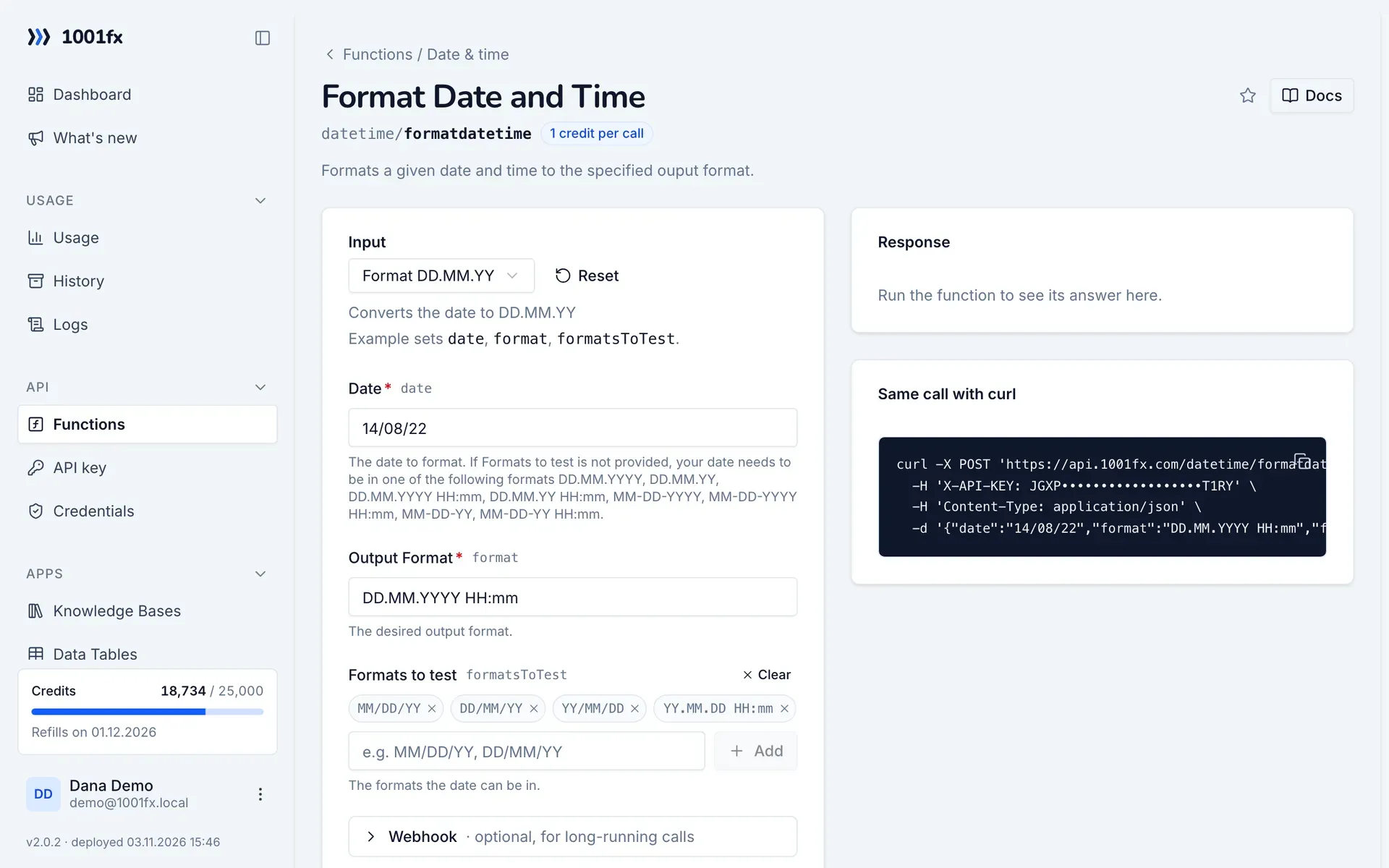
formatdatetime in the 1001fx app: the form with example values
Format Date and Time in the 1001fx app

Endpoint

POSThttps://api.1001fx.com/datetime/formatdatetime
Header
X-API-KEY: YOURSECRETAPIKEY How to
Content type
application/json

Parameters

  • datestringrequired

    The date to format. If Formats to test is not provided, your date needs to be in one of the following formats DD.MM.YYYY, DD.MM.YY, DD.MM.YYYY HH:mm, DD.MM.YY HH:mm, MM-DD-YYYY, MM-DD-YYYY HH:mm, MM-DD-YY, MM-DD-YY HH:mm.

    Example:
    14/08/22
  • formatstringrequired

    The desired output format.

    Example:
    DD.MM.YYYY HH:mm
  • formatsToTestarray<string>optional

    The formats the date can be in.

Examples

Format DD.MM.YY

Converts the date to DD.MM.YY

Input

Expects a json body
{
  "date": "14/08/22",
  "format": "DD.MM.YYYY HH:mm",
  "formatsToTest": [
    "MM/DD/YY",
    "DD/MM/YY",
    "YY/MM/DD",
    "YY.MM.DD HH:mm"
  ]
}

Output · HTTP 200

Response
{
  "result": "14.08.2022 00:00"
}
Show curl command
curl -X POST 'https://api.1001fx.com/datetime/formatdatetime' \
  -H 'X-API-KEY: YOURSECRETAPIKEY' \
  -H 'Content-Type: application/json' \
  -d '{"date":"14/08/22","format":"DD.MM.YYYY HH:mm","formatsToTest":["MM/DD/YY","DD/MM/YY","YY/MM/DD","YY.MM.DD HH:mm"]}'

Format D.M.YY

Converts the date from D.M.Y to MM-DD-YYYY

Input

Expects a json body
{
  "date": "1.1.22",
  "format": "MM-DD-YYYY",
  "formatsToTest": [
    "D.M.YY"
  ]
}

Output · HTTP 200

Response
{
  "result": "01-01-2022"
}
Show curl command
curl -X POST 'https://api.1001fx.com/datetime/formatdatetime' \
  -H 'X-API-KEY: YOURSECRETAPIKEY' \
  -H 'Content-Type: application/json' \
  -d '{"date":"1.1.22","format":"MM-DD-YYYY","formatsToTest":["D.M.YY"]}'

Frequently asked questions

Which input formats are accepted?
Without formatsToTest: DD.MM.YYYY, DD.MM.YY and MM-DD-YYYY, MM-DD-YY, each with or without a time in HH:mm. For other inputs list the possible formats in formatsToTest.
How do I describe the output format?
With tokens such as DD for the day, MM for the month, YYYY for the year, HH for the hour and mm for the minutes, for example DD.MM.YYYY HH:mm.

Use cases

Try formatdatetime now

Run it in your browser or create a free account and get 100 credits every month.

Changelog

  • 1.0.002.03.2023created
Ask 1001fx