Skip to content
Browse all functions

Stringify a JSON Object

data/stringifyjson

stringifyjson (Stringify a JSON Object) is a 1001fx API function in the group Data & JSON: POST https://api.1001fx.com/data/stringifyjson, 1 credit per call. It works as a ready-made module in n8n or as a plain HTTP call.

Stringifies a JSON Object, optionally replacing values.

Use cases

  • Send a JSON object as a string field to an API that expects text
  • Store a JSON object in a single spreadsheet cell or database column
  • Keep only selected keys of an object before logging it

Try it in the 1001fx app

Run stringifyjson in your browser with your API key – fill the form, click Run and get the answer or the file.

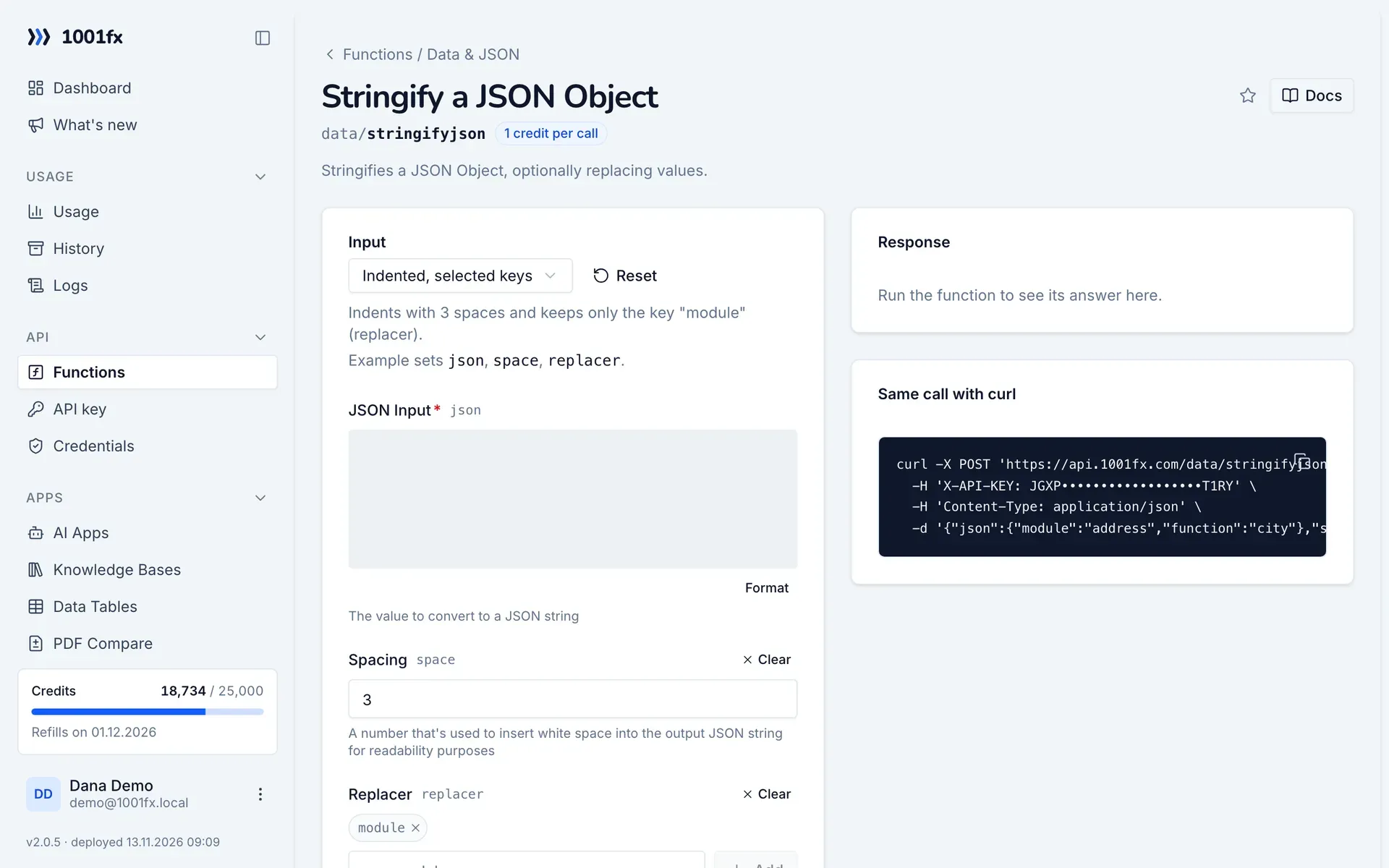
stringifyjson in the 1001fx app: the form with example values
Stringify a JSON Object in the 1001fx app

Endpoint

POSThttps://api.1001fx.com/data/stringifyjson
Header
X-API-KEY: YOURSECRETAPIKEY How to
Content type
application/json

Parameters

  • jsonobjectrequired

    The value to convert to a JSON string

  • spacenumberoptional

    A number that's used to insert white space into the output JSON string for readability purposes

    Min:
    0
    Max:
    10
    Example:
    3
  • replacerarray<string>optional

    An array of strings and numbers that specifies properties of value to be included in the output

Examples

Indented, selected keys

Indents with 3 spaces and keeps only the key "module" (replacer).

Input

Expects a json body
{
  "json": {
    "module": "address",
    "function": "city"
  },
  "replacer": [
    "module"
  ],
  "space": 3
}

Output · HTTP 200

Response
{
  "result": "{\n   \"module\": \"address\"\n}"
}
Show curl command
curl -X POST 'https://api.1001fx.com/data/stringifyjson' \
  -H 'X-API-KEY: YOURSECRETAPIKEY' \
  -H 'Content-Type: application/json' \
  -d '{"json":{"module":"address","function":"city"},"replacer":["module"],"space":3}'

Compact

Turns an object into a JSON string without spaces.

Input

Expects a json body
{
  "json": {
    "module": "address",
    "function": "city"
  }
}

Output · HTTP 200

Response
{
  "result": "{\"module\":\"address\",\"function\":\"city\"}"
}
Show curl command
curl -X POST 'https://api.1001fx.com/data/stringifyjson' \
  -H 'X-API-KEY: YOURSECRETAPIKEY' \
  -H 'Content-Type: application/json' \
  -d '{"json":{"module":"address","function":"city"}}'

Compact, selected keys

Keeps only the keys "week" and "month" (replacer).

Input

Expects a json body
{
  "json": {
    "foundation": "Mozilla",
    "model": "box",
    "week": 45,
    "transport": "car",
    "month": 7
  },
  "replacer": [
    "week",
    "month"
  ]
}

Output · HTTP 200

Response
{
  "result": "{\"week\":45,\"month\":7}"
}
Show curl command
curl -X POST 'https://api.1001fx.com/data/stringifyjson' \
  -H 'X-API-KEY: YOURSECRETAPIKEY' \
  -H 'Content-Type: application/json' \
  -d '{"json":{"foundation":"Mozilla","model":"box","week":45,"transport":"car","month":7},"replacer":["week","month"]}'

Frequently asked questions

How do I get readable, indented output?
Set space to the number of spaces per indentation level. Without space the string is compact.
Can I include only some keys?
Yes. List the keys to keep in replacer. All other properties are left out.

Try stringifyjson now

Run it in your browser or create a free account and get 100 credits every month.

Changelog

  • 1.0.023.02.2023created
Ask 1001fx