Skip to content
Browse all functions

Cut Video – Trim a Clip out of a Video

audiovideo/cutvideo

cutvideo (Cut Video – Trim a Clip out of a Video) is a 1001fx API function in the group Audio & video: POST https://api.1001fx.com/audiovideo/cutvideo, 3 credits per minute (minimum 3). It works as a ready-made module in Make or as a plain HTTP call.

Cuts a clip out of a video (MP4, MOV, MPEG, AVI) from a start time, for a given duration or until the end. The cut is exact to the frame because the clip is encoded again. The result is an URL to the mp4 that is available for 48 hours. Charged per started minute of the clip.

Try it in the 1001fx app

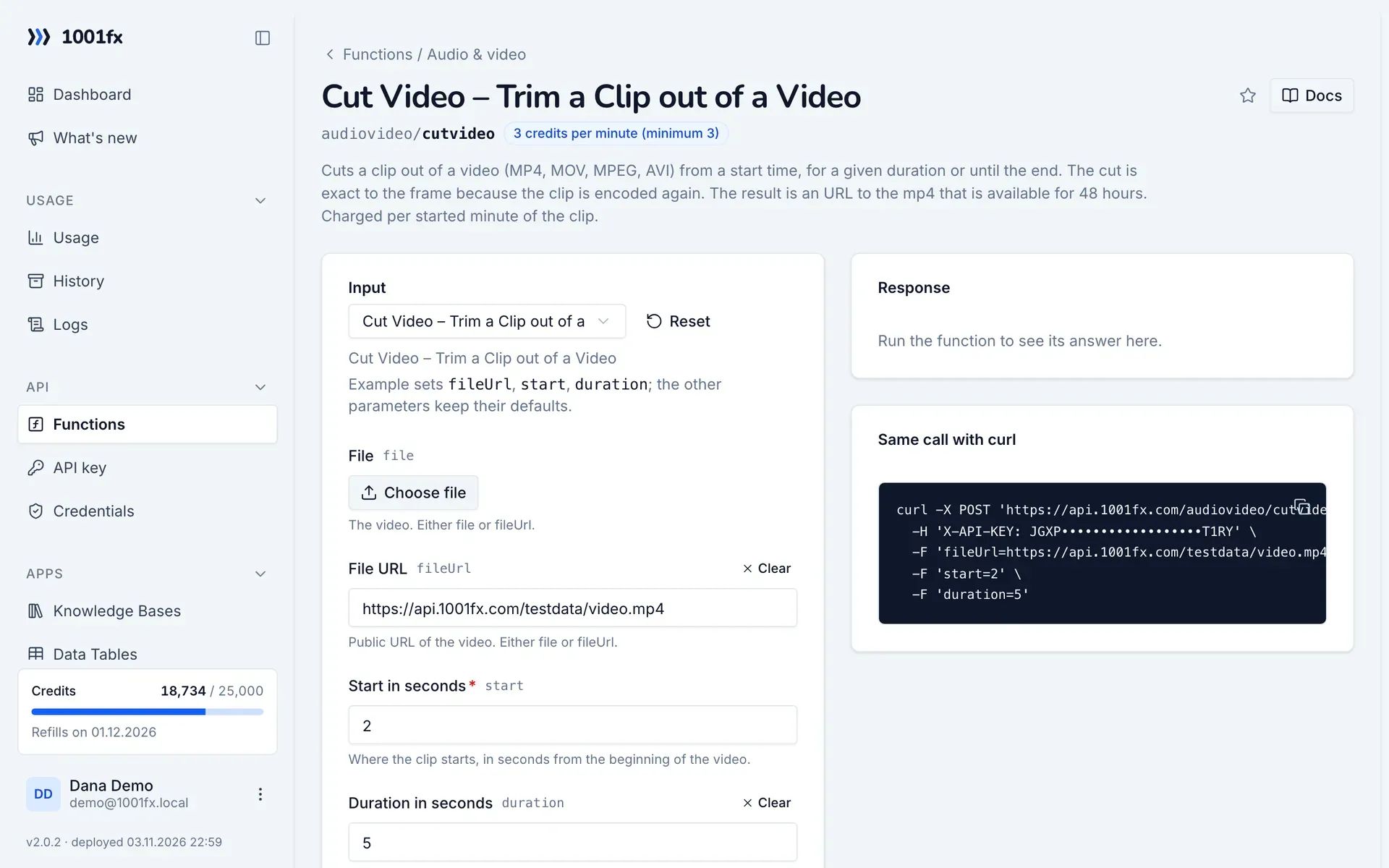
Run cutvideo in your browser with your API key – fill the form, click Run and get the answer or the file.

cutvideo in the 1001fx app: the form with example values
Cut Video – Trim a Clip out of a Video in the 1001fx app

Endpoint

POSThttps://api.1001fx.com/audiovideo/cutvideo
Header
X-API-KEY: YOURSECRETAPIKEY How to
Content type
multipart/form-data

Parameters

  • filefileoptional

    The video. Either file or fileUrl.

  • fileUrlstringoptional

    Public URL of the video. Either file or fileUrl.

    Example:
    https://api.1001fx.com/testdata/video.mp4
  • startnumberrequired

    Where the clip starts, in seconds from the beginning of the video.

    Min:
    0
    Example:
    2
  • durationnumberoptional

    Length of the clip in seconds. Empty: until the end of the video.

    Min:
    0.1
    Example:
    5

Examples

Cut Video – Trim a Clip out of a Video

Cut Video – Trim a Clip out of a Video

Input

Expects multipart/form-data or a json body
{
  "fileUrl": "https://api.1001fx.com/testdata/video.mp4",
  "start": 2,
  "duration": 5
}

Output · HTTP 200

Response
{
  "statusCode": 200
}
Show curl command
curl -X POST 'https://api.1001fx.com/audiovideo/cutvideo' \
  -H 'X-API-KEY: YOURSECRETAPIKEY'

Try cutvideo now

Run it in your browser or create a free account and get 100 credits every month.

Changelog

  • 1.0.001.11.2026created
Ask 1001fx